Giải Phẫu 5 Quy Luật UI/UX Quản Trị Sự Chú Ý (Attention Budgeting) & Khuôn Thiết Kế Gốc VietCleanV3_10s.tsx Có Bảng Biến Tweaks
Tài liệu chuyên sâu này đúc kết trọn vẹn cuộc lột xác từ Bản V1 (Hard-Cut rời rạc) → Bản V2 (Có Mồi cảnh liên hoàn nhưng mắc lỗi Quá tải thông tin / HUD Overload) → Bản V3 Ultra-Clean Thành Phẩm (VietCleanV3_10s.tsx — 1080×1920 @ 60fps, 600 frames = 10.00s). Toàn bộ mã nguồn đã được chuẩn hóa thành Khuôn Thiết Kế Gốc có Bảng Biến Tweaks (defaultVietCleanV3Props) để bất kỳ ai cũng có thể tự thay chữ Tiếng Việt, đổi bảng màu thương hiệu và xuất video 60fps chỉ trong vài giây.
SEMANTIC_CORE, AI_01, PRE-CUE).VietCleanV3Props): Tách toàn bộ mảng từ Tiếng Việt của 7 phân cảnh (stage1Line1Words → stage7bDrumItems), 9 mã màu chủ đạo (bgDark, bgIvory, accentGold, accentCrimson...) và 3 tham số điều khiển nhịp thở / độ nhòe vận tốc (breathAmp, motionBlurScale, audioSrc) ngay đầu file VietCleanV3_10s.tsx.Phần 1 — Bài Toán Tiến Hóa V1 → V2 → V3 & Giải Phẫu 5 Quy Luật UI/UX Quản Trị Sự Chú Ý (Attention Budgeting)
Khi lập trình Motion Graphic bằng AI trên Remotion, hầu hết người làm đều trải qua 2 thái cực sai lầm: Bản V1 quá đơn điệu (các cảnh cắt bụp vào nhau bằng frame < 240, chữ hiện ra đột ngột không có vật dẫn mắt) hoặc Bản V2 quá tham hiệu ứng (nhồi cùng lúc 6 con trỏ chuột có gắn nhãn AI_01..AI_06, giữ lại chữ cảnh cũ trên đầu khi cảnh mới đang nổ ở giữa, cộng thêm HUD Timecode và hộp viền lồng hộp viền khiến màn hình dọc 9:16 biến thành bảng điều khiển máy bay rối mắt).
1.1. Bàn Đối Chiếu Trực Diện 4 Video: Bản V3 Ultra-Clean vs. Bản V2 Quá Tải Thông Tin vs. 2 Mẫu Pinterest Gốc (pin_07 & pin_08)
Hãy bấm Play đối chiếu trực tiếp 4 video dưới đây để thấy sự khác biệt một trời một vực khi áp dụng kỷ luật Quản trị sự chú ý (Attention Budgeting) của pin_07 và pin_08 vào Bản V3:
Bản V3 Thành Phẩm (motion02_v3_clean_10s_9x16_60fps.mp4): 1 tiêu điểm duy nhất tại mọi thời điểm, 85% không gian thở, hạt mồi Pre-Cue tự tan biến ngay khi chữ chính xuất hiện.
Bản V2 (motion02_v2_precue_10s_9x16_60fps.mp4): Dù có Pre-Cue và Whip-Pan mượt nhưng giữ lại Header cũ + Subtitle bar + Timecode + nhãn SEMANTIC_CORE gây phân tán mắt nhìn.
Mẫu gốc pin_07: Chữ đứng hoàn toàn tự do trên nền phẳng, dùng 4 dấu hoa thị ✱✱✱✱ làm hạt mồi trước khi hóa thành chữ chính.
Mẫu gốc pin_08: Khung chọn mảnh 1.5px chỉ xuất hiện đúng 0.3s để mở chữ rồi biến mất; các hạt hình học không hề có chữ nhãn đính kèm.
1.2. Giải Phẫu 5 Quy Luật UI/UX Sống Còn Khi Thiết Kế Motion Graphic Chữ (Attention Budgeting)
Qua việc mổ xẻ từng khung hình của các video triệu lượt xem trên Pinterest (pin_04, pin_05, pin_07, pin_08) và đối chiếu với thất bại thị giác của Bản V2, dưới đây là 5 Quy Luật UI/UX Bất Di Bất Dịch đã làm nên sự lột xác của Bản V3:
9:16 chỉ có thể đọc 1 cụm thông điệp duy nhất (tối đa 2–5 từ) tại một thời điểm. Bản V2 thất bại vì bắt mắt người xem đọc cùng lúc 4 tầng: Thanh Timecode trên đỉnh + Cụm chữ cũ thu nhỏ (Header Recoil) + Cụm chữ mới ở giữa + Thanh phụ đề chạy dưới đáy. Bản V3 cắt bỏ toàn bộ 3 tầng phụ, chỉ giữ lại đúng 1 tâm điểm ở chính giữa màn hình.pin_04, pin_05, pin_07), chữ luôn đứng tự do (Free-Standing Typography) trên nền Đen sâu (#07080A) hoặc Trắng Kem (#F7F4ED) mà không bị nhốt trong các thẻ Card viền sáng hay khung kính mờ rườm rà. Khoảng trống 85% xung quanh chính là thứ tôn vinh độ sắc nét của phông chữ SVN-Aeonik.AI_01..AI_06 vào 6 con trỏ chuột hay đặt dòng chữ < SEMANTIC_CORE >, STAGE 01 // PRE-CUE làm não bộ khán giả bị nhiễu vì tưởng đó là nội dung cần đọc. Sang Bản V3, mọi đạo cụ dẫn mắt đều là hình học thuần khiết 100% không chữ (1 con trỏ vàng sạch, 1 ngôi sao 4 cánh ✦, cặp dấu ngoặc < ✦ >).10–14 frames trước giọng nói) là kéo đồng tử mắt người xem về đúng tọa độ (x, y) sắp nổ chữ. Ngay khi chữ chính bật lên, hạt mồi (như khung chọn Figma 1.5px ở Cảnh 1, 4 hoa thị đỏ ✱✱✱✱ ở Cảnh 3, hay 4 khối hình học tụ tâm ở Cảnh 5) phải mờ đi hoặc biến hình hoàn toàn thành chữ — tuyệt đối không đứng lại tranh chấp với chữ chính.| quét nuốt chữ Cảnh 1, dải Highlight Trắng Kem nở bung toàn màn hình mở Cảnh 3, hoặc cú Whip-Pan đẩy tấm giấy Trắng Kem sang trái lộ nền Đen của Cảnh 4) rồi mới mở cảnh mới.1.3. Bằng Chứng Thị Giác Qua Lưới Khung Hình: Mẫu Pinterest Gốc vs. Bản V1 & V2 Cũ
Bộ 6 ảnh lưới giải phẫu dưới đây chứng minh rõ ràng vì sao các mẫu Pinterest gốc nhìn cực kỳ sang trọng và thoáng mắt, trong khi Bản V1 (đầu tiên) và Bản V2 (quá tải HUD) lại gây mỏi mắt:
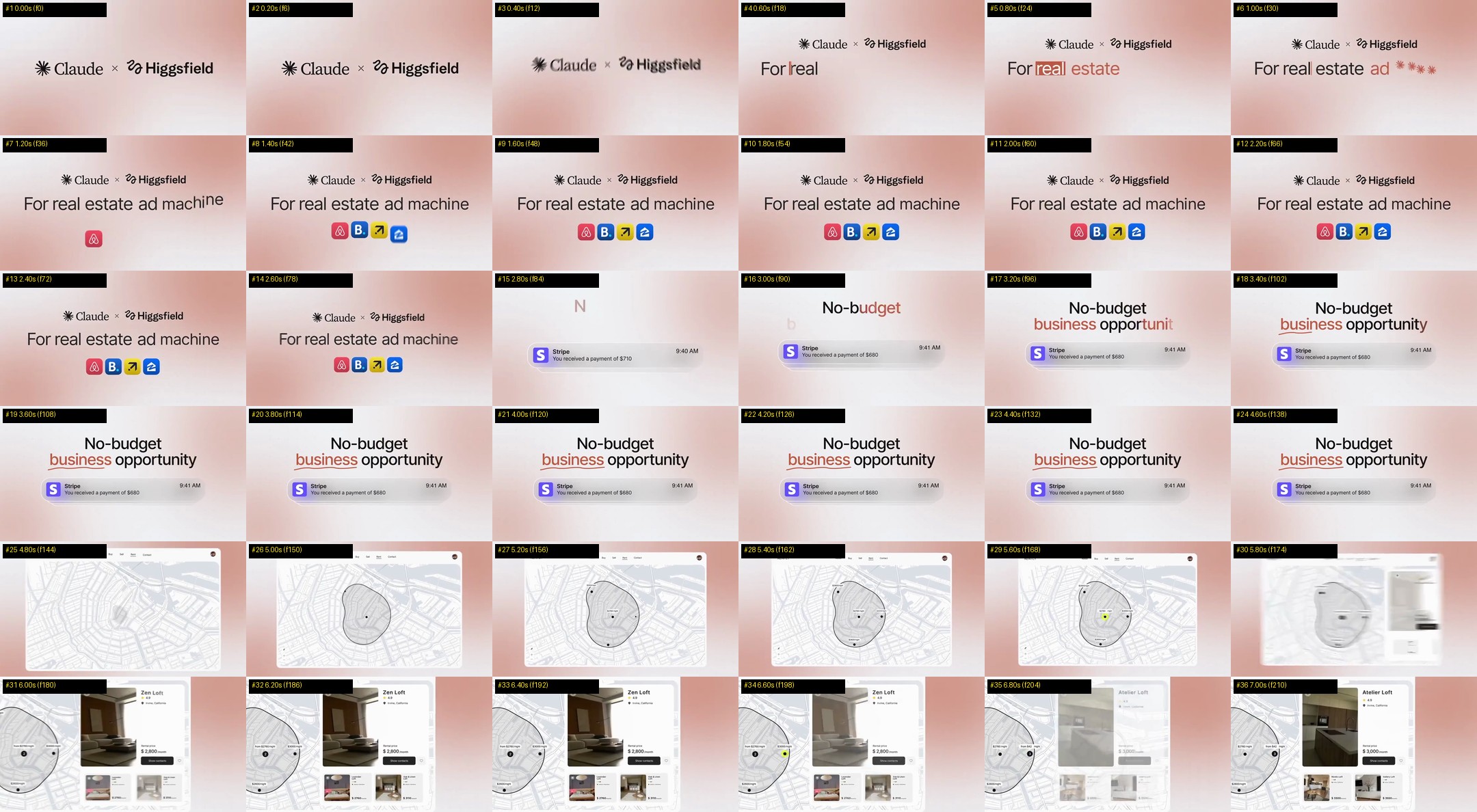
pin_07: 4 dấu hoa thị ✱✱✱✱ đứng tự do trên nền thoáng, biến hình trực tiếp thành chữ rồi dọn sạch sân khấu trước khi sang nhịp mới.
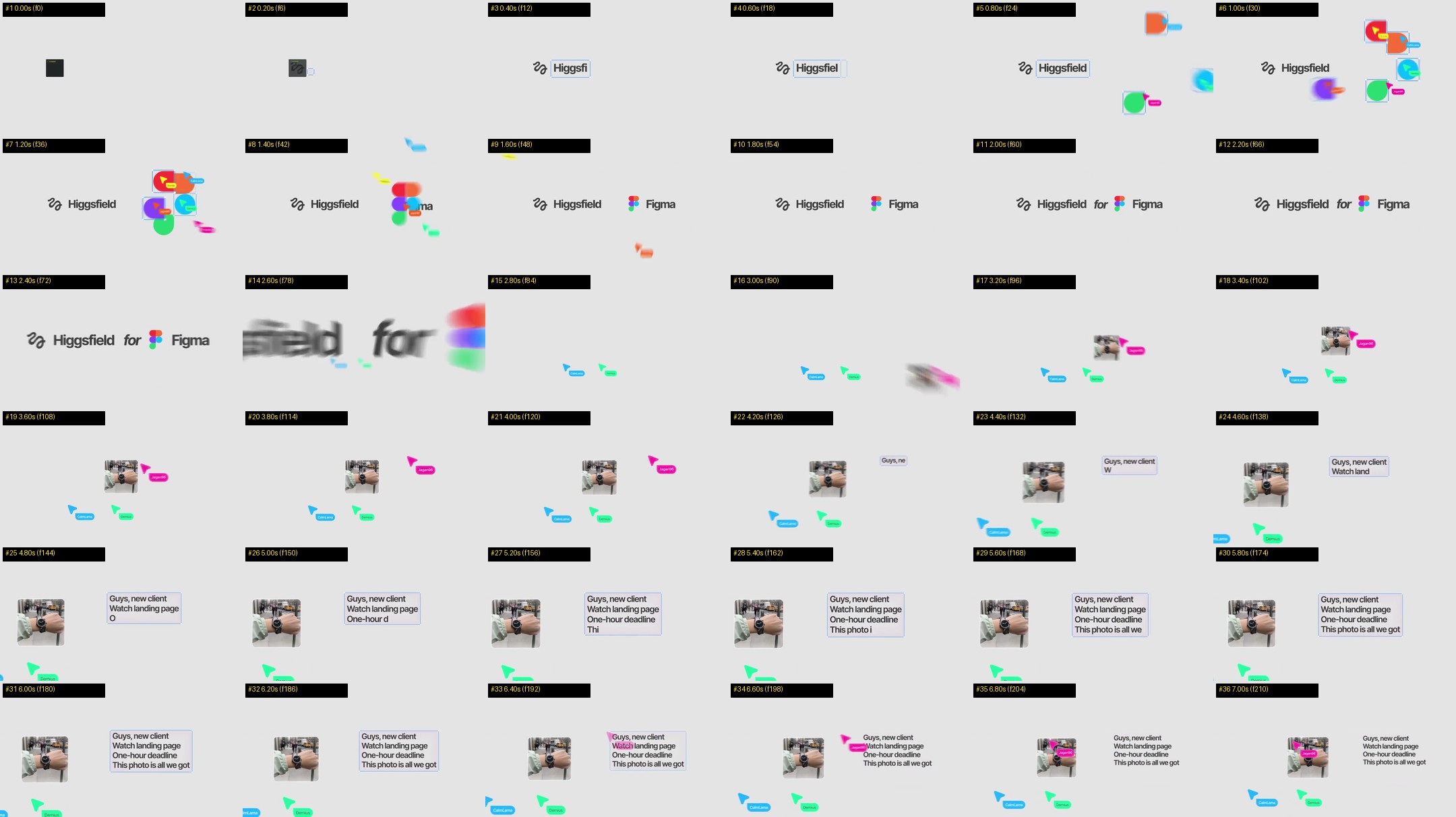
pin_08: Khung Figma mảnh 1.5px mở chữ, các khối tròn/thoi hội tụ thuần hình học (không nhãn chữ) và cú Whip-Pan dứt khoát.
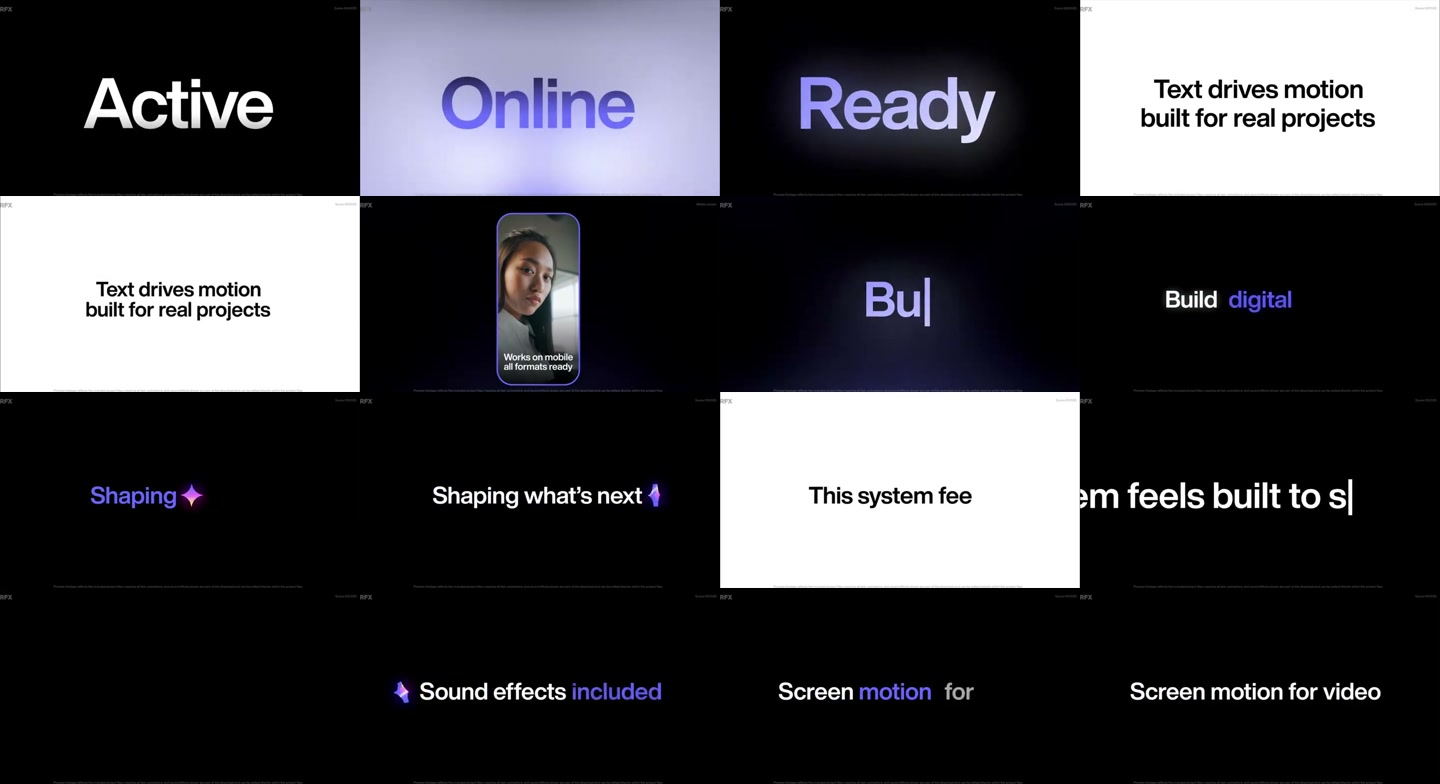
pin_04: Nguồn cảm hứng cho nhịp đảo nền Đen → Trắng Kem tại Cảnh 2–3 với thanh gạch ngang đỏ cắt qua từ khóa.
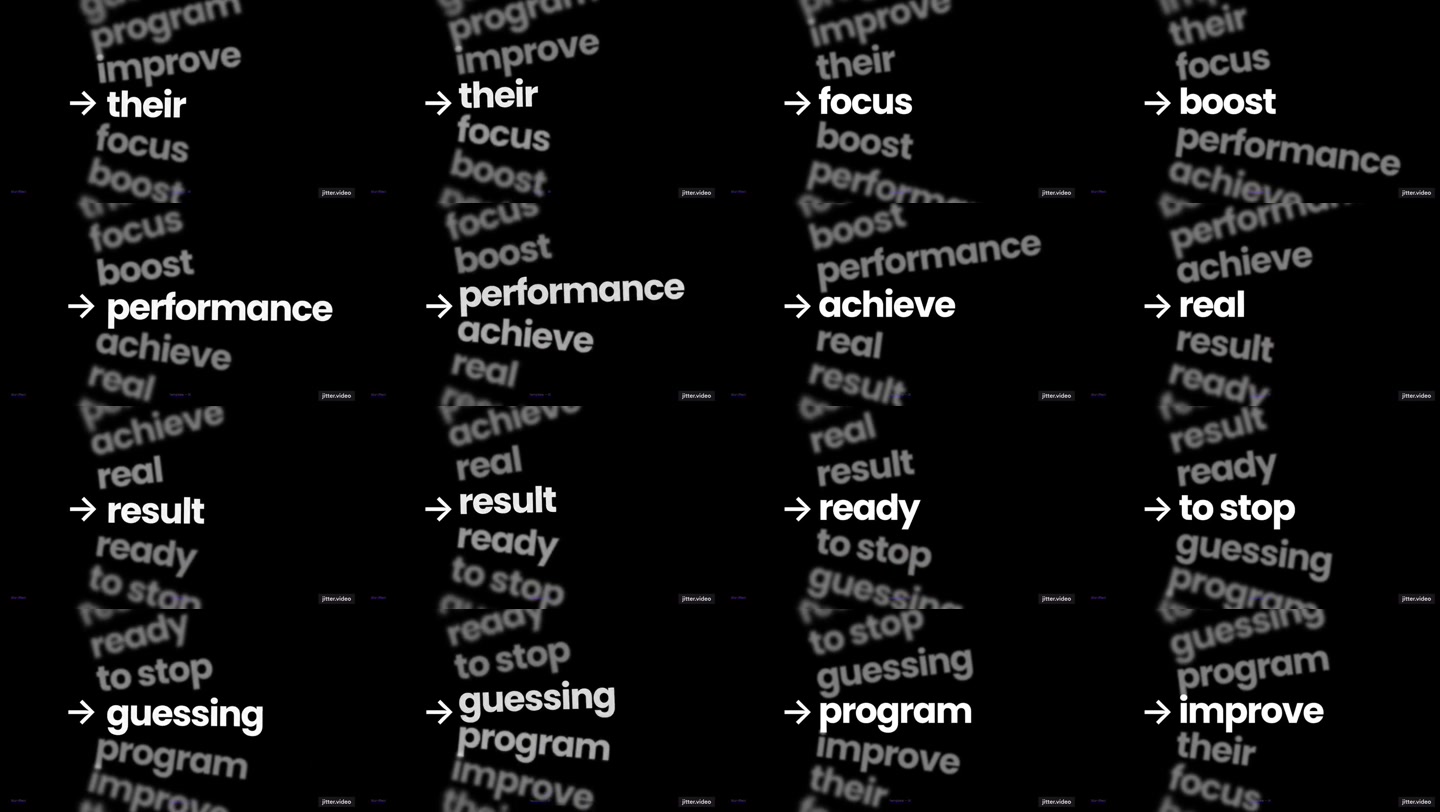
pin_05: Nguồn cảm hứng cho Cảnh 7b — trục chữ cuộn dọc nghiêng nhẹ không cần bất kỳ hộp khung viền nào bao quanh.
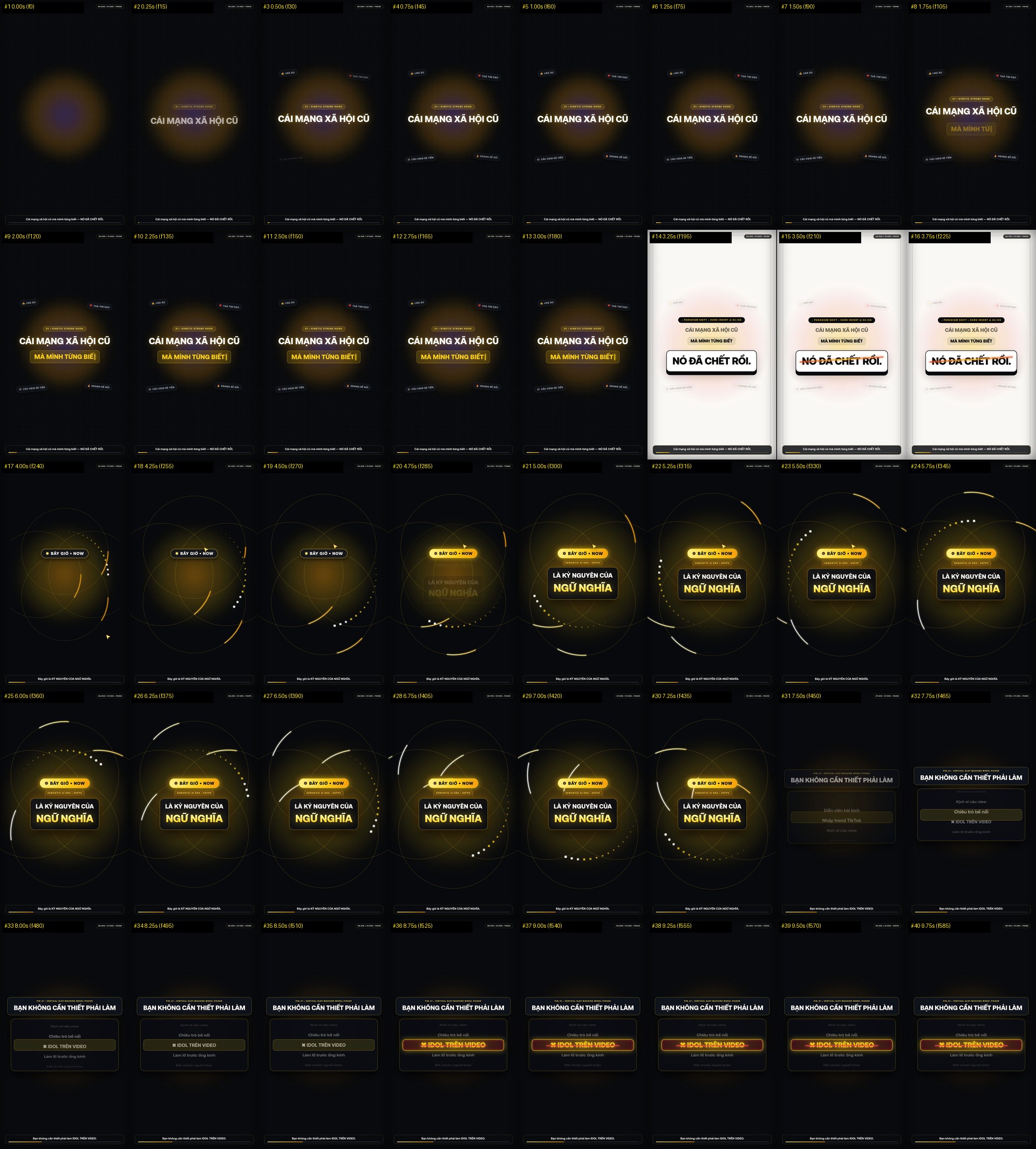
Bản V1 ban đầu: Gắn cứng HUD Timecode trên đỉnh, thanh phụ đề dưới đáy và đóng khung hộp viền xung quanh mọi cụm chữ.
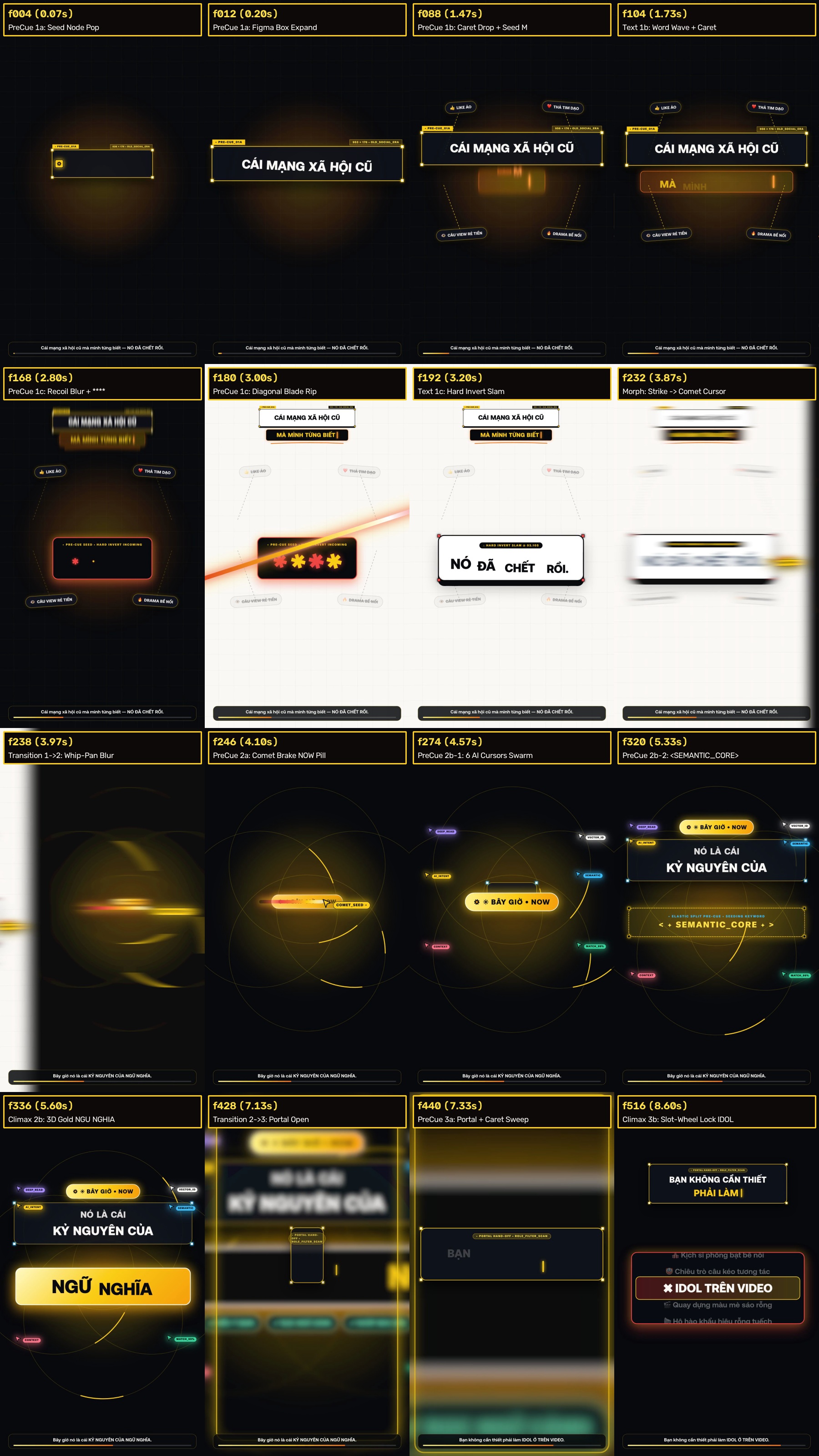
Bản V2: Dù chuyển cảnh rất mượt nhưng nhồi quá nhiều chữ phụ (COMET_SEED, SEMANTIC_CORE, 6 nhãn AI_01..06) và giữ lại chữ cảnh cũ trên đầu.
Phần 2 — Kết Quả Bản V3 Ultra-Clean (7 Cảnh Tách Bạch • 1 Tiêu Điểm Duy Nhất • 85% Negative Space) & 20 Điểm Nổ SFX Voice-Safe
2.1. Lưới Đối Chiếu 7 Cảnh Sạch (Hạt Mồi Pre-Cue vs. Chữ Chính) & Lưới Kiểm Định 40 Khung Hình Toàn Cảnh
Trong Bản V3 (VietCleanV3_10s.tsx), toàn bộ 10 giây đầu tiên (600 frames @ 60fps) được chia thành 7 Cảnh Tách Bạch (Stages 1 → 7). Ở mỗi cảnh, Hàng 1 là khoảnh khắc hạt mồi Pre-Cue xuất hiện trước giọng đọc 10–14 frames; Hàng 2 là khoảnh khắc chữ chính bung ra khi hạt mồi đã tự thu dọn sạch sẽ:
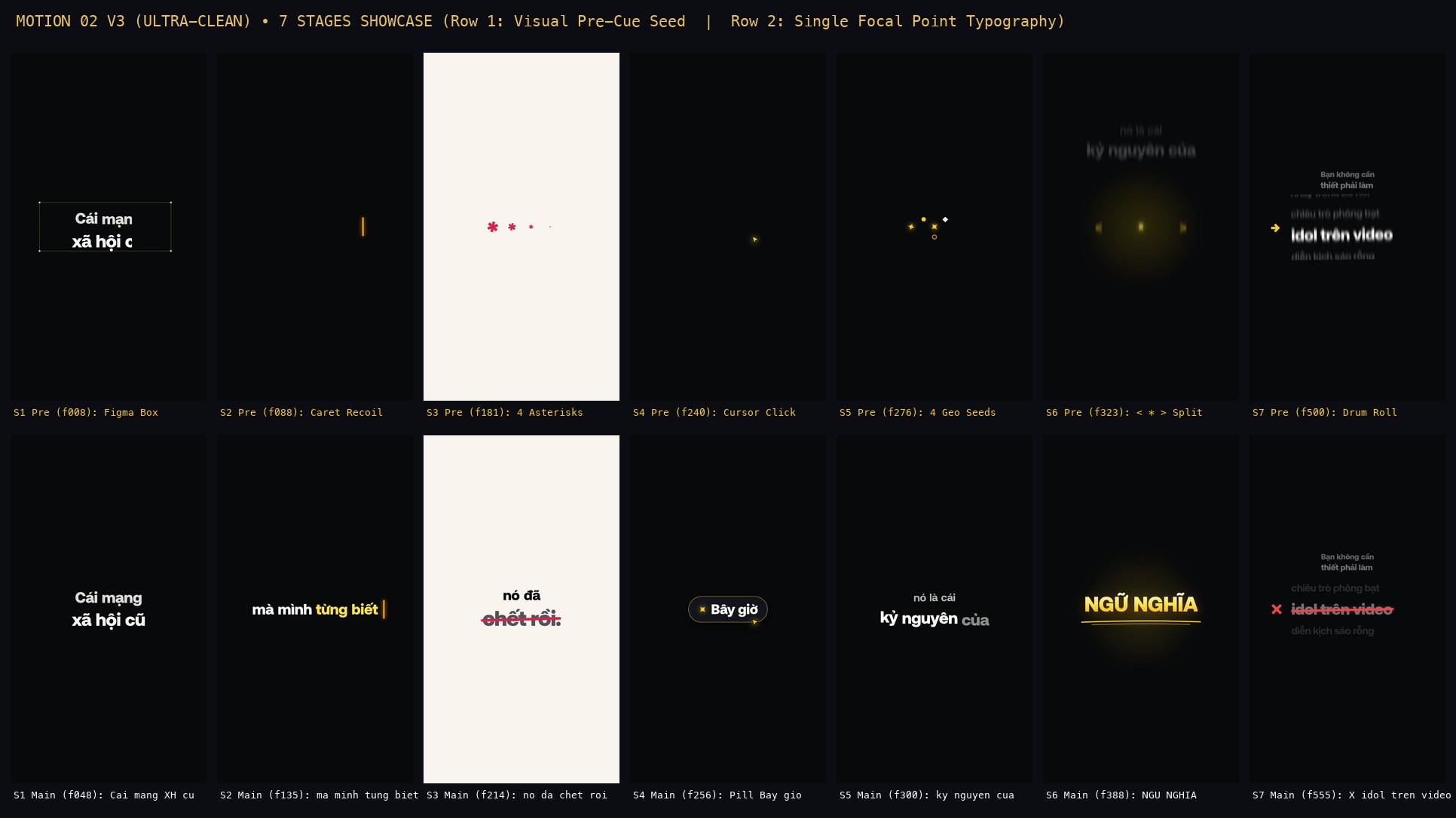
Từ Trái sang Phải (Stage 1 → Stage 7): Không còn bất kỳ chữ cảnh cũ nào lưu lại ở cảnh mới, 100% khung hình đạt tối thiểu 85% không gian âm.
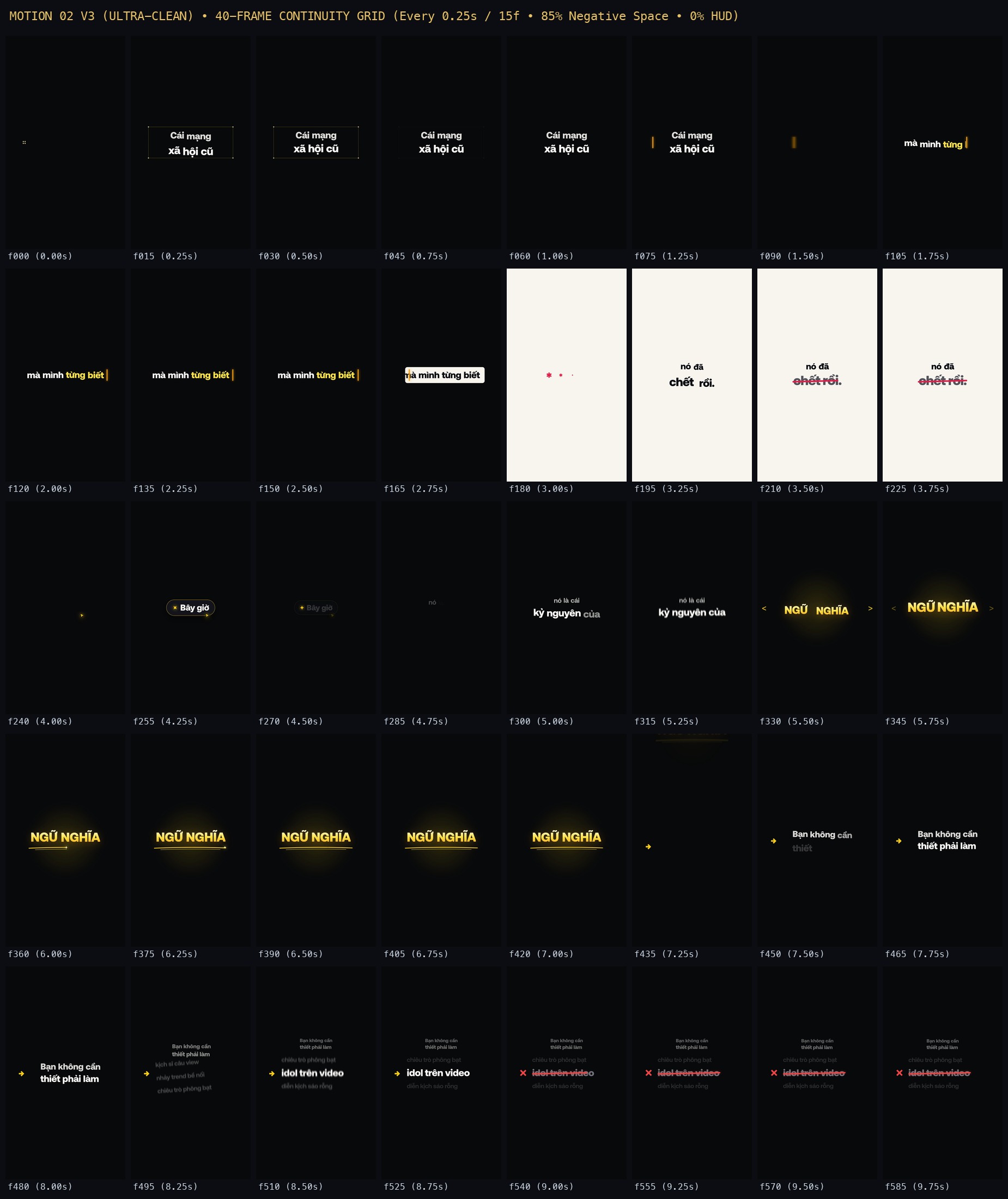
Kiểm chứng 40 lát cắt thời gian liên tiếp của Bản V3: Từng bước chuyển giao (Caret Wipe, Iris Expansion, Whip-Pan, Star Convergence, Bracket Split, Oblique Drum Roll) đều sạch tuyệt đối.
2.2. Bảng Phân Tích Chi Tiết 7 Nhịp Bàn Giao Sạch (Clean Relay Transitions) Từ Cảnh 1 Đến Cảnh 7 (f0 → f600)
| Cảnh (Stage) | Khoảng Frame & Giây (60fps) | Biến Chữ Trong Bảng Tweaks |
Pha 1: Hạt Mồi Tối Giản (Pre-Cue Seed) | Pha 2: Tâm Điểm Chữ Duy Nhất (Main Typography) | Pha 3: Bàn Giao Sạch Sang Cảnh Kế (Clean Relay Handoff) |
|---|---|---|---|---|---|
| Stage 1 | f0 → f88( 0.00s – 1.47s) |
stage1Line1Wordsstage1Line2Words |
Khung chọn Figma mảnh 1.5px màu accentGold + 4 chấm góc vuông phóng từ 18px → 760×280px (f2–f16), tự mờ đi hoàn toàn ở f30–f46. |
Chữ "Cái mạng / xã hội cũ" (84px / 98px) mở clip-path từ trái sang phải kèm lò xo spring từng từ. |
Tại f74–f86, thanh Caret | xuất hiện bên trái và quét ngang sang phải (collapseLeftInset: 0% → 100%) nuốt sạch chữ Cảnh 1. |
| Stage 2 | f74 → f182( 1.23s – 3.03s) |
stage2Words(có cờ isHighlight) |
Tại f88–f98, chính thanh Caret | vừa nuốt Cảnh 1 bật ngược từ phải (+260px) về trái (-370px) kèm nhòe ngang v3CaretBlur (18px). |
Từ f98–f130, thanh Caret chạy sang phải gõ ra dòng chữ "mà mình từng biết" (2 từ cuối tô màu accentYellow). |
Tại f158–f169, Caret quét ngược sang trái sơn ra dải hộp bgIvory (#F7F4ED) đổi màu chữ sang đen textInk; từ f169–f180 hộp bgIvory phóng scale(1 → 22) lấp đầy màn hình thành nền Cảnh 3. |
| Stage 3 | f175 → f238( 2.92s – 3.97s) |
stage3Line1Wordsstage3Line2Words |
Trên nền giấy Trắng Kem bgIvory vừa mở, 4 hoa thị đỏ ✱ ✱ ✱ ✱ (accentCrimson) nảy lên tự do và xoay nhẹ ở f175–f185 (học pin_07). |
Đúng f186, 4 hoa thị biến thành đại tự "nó đã / chết rồi." (78px / 118px). Tại f204–f220, thanh gạch ngang đỏ cắt qua chữ "chết rồi." làm chữ xám đi. |
Tại f226–f238, toàn bộ tấm nền giấy Trắng Kem thực hiện cú Spatial Whip-Pan văng sang trái (whipOutX: 0 → -1260px) kèm v3WhipBlurX (28px), để lộ nền Đen bgDark phía dưới. |
| Stage 4 | f235 → f280( 3.92s – 4.67s) |
stage4PillText |
1 con trỏ mũi tên vàng CleanCursorArrow duy nhất (không nhãn chữ) bay từ góc phải vào tâm (f235–f242) và nhấp Click tạo vòng sóng mảnh 1.5px. |
Cú click làm bật lên viên thuốc tối giản "✦ Bây giờ" tại chính giữa màn hình. | Tại f268–f276, chữ "Bây giờ" và viền viên thuốc tự tan biến (pillDissolveP: 1 → 0), chỉ để lại ngôi sao 4 cánh ✦ đứng lại ở tâm làm mồi cho Cảnh 5. |
| Stage 5 | f272 → f326( 4.53s – 5.43s) |
stage5Line1Wordsstage5Line2Words |
Từ f272–f282, ngôi sao ✦ hút 3 khối hình học thuần khiết (tròn vàng, thoi trắng, vòng nhẫn cam) lao từ 3 góc về tâm rồi biến mất 100% ở f284. |
Từ f282–f314, cụm chữ "nó là cái / kỷ nguyên của" (60px / 90px) nảy lò xo tự do giữa nền đen thoáng đãng. |
Tại f314–f325, cả cụm chữ phóng vọt lên trên (exitY: 0 → -480px) kèm nhòe dọc v3ExitBlurY (18px), trả lại tâm màn hình trống cho Cảnh 6. |
| Stage 6 | f318 → f438( 5.30s – 7.30s) |
stage6HeroWords |
Tại f318–f329, cặp dấu ngoặc mảnh < ✦ > tách rộng từ tâm ra hai mép (38px → 445px) rồi tự mờ dần ở f336–f352. |
Đại tự Gradient Vàng Kim "NGỮ NGHĨA" (116px) nổ ra tại f327; tiếp đó tại f356–f394, nét cọ đôi vàng kim tự vẽ gạch chân kèm ngôi sao nhỏ dẫn đầu nét bút. |
Tại f422–f437, cả cụm "NGỮ NGHĨA" trượt vọt lên trên (slideUpY: 0 → -980px) kèm nhòe dọc 22px, kéo theo mũi tên vàng → từ đáy lên tâm. |
| Stage 7 (7a & 7b) | f432 → f600( 7.20s – 10.00s) |
stage7aLine1Wordsstage7aLine2Wordsstage7bDrumItemsstage7bTargetIndex |
Pha 7a (f432–f492): Mũi tên → dẫn dòng "Bạn không cần / thiết phải làm".Pha 7b ( f494–f514): Dòng 7a lùi nhẹ lên trên (scale 0.54, opacity 0.42), nhường tâm điểm cho trục chữ nghiêng -6° → 0° không viền cuộn dọc 5 cụm từ kèm v3DrumBlurY. |
Đúng f514, trục cuộn khóa đanh vào mục tiêu số 3: "→ idol trên video" (86px). Tại f534–f554, mũi tên → hóa thành dấu ✕ đỏ và đường gạch ngang đỏ accentRedStrike cắt ngang chữ "idol trên video". |
Giữ nhịp thở breathScale đanh gọn đến đúng f600 (10.00s), sẵn sàng nối sang giây thứ 11 của video dài. |
2.3. Bảng 20 Sự Kiện / 74 Lớp Âm Thanh SFX Voice-Safe (cues_10s_v3.json Kết Hợp Kho sfx.fedu.vn)
Mỗi chuyển động Pre-Cue, mỗi cú quét Caret và mỗi nhịp Whip-Pan trong Bản V3 đều được ánh xạ chính xác tới từng khung hình trong file cues_10s_v3.json. Động cơ InstantVaultComposer tự động gắp 74 lớp âm thanh (micro-slices) từ kho 10.768 slices của sfx.fedu.vn theo 4 vai trò (L1_lead_in mồi gió trước điểm nổ → L2_transient đanh gọn → L3_body trầm ấm → L4_texture cơ khí) và trộn với giọng đọc của anh Việt qua bộ lọc bảo vệ dải tần giọng nói (Voice-Safe Sidechain):
| # | Mã Sự Kiện (Cue ID) | Frame & Giây | Loại Hành Động & Lực | Mô Tả Điểm Nổ Thị Giác Tương Ứng | Cấu Trúc Lớp SFX Thực Tế (74 Layers) |
|---|---|---|---|---|---|
| #01 | #V3_S1_FRAME_EXPAND |
f2 (0.03s) |
TEXT_LOWER_THIRD_SLIDE Intensity: 0.8 |
Cảnh 1 Pre-Cue: Khung viền mảnh 1.5px mở ra | 4 layers: L1_lead_in (-13.5dB), L2_transient (-11.0dB), L3_body (-14.0dB), L4_texture (-17.5dB) |
| #02 | #V3_S1_TEXT_POP |
f10 (0.17s) |
TEXT_KINETIC_POP Intensity: 0.85 |
Cảnh 1 Chữ: Cái mạng xã hội cũ | 4 layers: L1_lead_in (-15.0dB), L2_transient (-9.5dB), L3_body (-13.5dB), L4_texture (-17.5dB) |
| #03 | #V3_S1_CARET_WIPE |
f74 (1.23s) |
TEXT_HIGHLIGHT_SWEEP Intensity: 0.85 |
Chuyển 1->2: Thanh Caret quét thu gọn Cảnh 1 | 3 layers: L1_lead_in (-14.5dB), L2_transient (-12.5dB), L3_body (-15.5dB) |
| #04 | #V3_S2_CARET_TYPE |
f98 (1.63s) |
TEXT_KINETIC_POP Intensity: 0.88 |
Cảnh 2 Chữ: mà mình từng biết | 4 layers: L1_lead_in (-15.0dB), L2_transient (-9.5dB), L3_body (-13.5dB), L4_texture (-17.5dB) |
| #05 | #V3_S2_IRIS_WIPE |
f168 (2.80s) |
MG_MORPH_TRANSITION Intensity: 0.98 |
Chuyển 2->3: Hộp Highlight phóng mở nền Trắng Kem | 4 layers: L1_lead_in (-11.5dB), L2_transient (-11.0dB), L3_body (-10.0dB), L4_texture (-16.5dB) |
| #06 | #V3_S3_ASTERISK_SEED |
f176 (2.93s) |
IMG_ICON_POPUP Intensity: 0.85 |
Cảnh 3 Pre-Cue: 4 hoa thị đỏ ✱ ✱ ✱ ✱ | 3 layers: L1_lead_in (-16.5dB), L2_transient (-10.0dB), L3_body (-13.5dB) |
| #07 | #V3_S3_DEAD_SLAM |
f186 (3.10s) |
TEXT_HEADLINE_SLAM Intensity: 1.12 |
Cảnh 3 Chữ: nó đã chết rồi. | 4 layers: L1_lead_in (-11.5dB), L2_transient (-8.0dB), L3_body (-8.5dB), L4_texture (-15.5dB) |
| #08 | #V3_S3_RED_STRIKE |
f205 (3.42s) |
TEXT_HIGHLIGHT_SWEEP Intensity: 0.9 |
Cảnh 3: Nét gạch ngang đỏ cắt qua chết rồi. | 3 layers: L1_lead_in (-14.5dB), L2_transient (-12.5dB), L3_body (-15.5dB) |
| #09 | #V3_S3_WHIP_PAN |
f226 (3.77s) |
MG_MORPH_TRANSITION Intensity: 1.02 |
Chuyển 3->4: Whip-Pan sạch sang nền Đen | 4 layers: L1_lead_in (-11.5dB), L2_transient (-11.0dB), L3_body (-10.0dB), L4_texture (-16.5dB) |
| #10 | #V3_S4_CURSOR_CLICK |
f242 (4.03s) |
IMG_ICON_POPUP Intensity: 0.92 |
Cảnh 4: Con trỏ Click bật viên nang ✦ Bây giờ | 3 layers: L1_lead_in (-16.5dB), L2_transient (-10.0dB), L3_body (-13.5dB) |
| #11 | #V3_S4_STAR_EXTRACT |
f268 (4.47s) |
TEXT_LOWER_THIRD_SLIDE Intensity: 0.82 |
Chuyển 4->5: Tách ngôi sao ✦ + 3 khối hình học | 4 layers: L1_lead_in (-13.5dB), L2_transient (-11.0dB), L3_body (-14.0dB), L4_texture (-17.5dB) |
| #12 | #V3_S5_ERA_TEXT |
f282 (4.70s) |
TEXT_KINETIC_POP Intensity: 0.9 |
Cảnh 5 Chữ: nó là cái kỷ nguyên của | 4 layers: L1_lead_in (-15.0dB), L2_transient (-9.5dB), L3_body (-13.5dB), L4_texture (-17.5dB) |
| #13 | #V3_S5_UPWARD_EXIT |
f315 (5.25s) |
MG_MORPH_TRANSITION Intensity: 0.88 |
Chuyển 5->6: Clean Upward Exit & < ✦ > Bracket Split | 4 layers: L1_lead_in (-11.5dB), L2_transient (-11.0dB), L3_body (-10.0dB), L4_texture (-16.5dB) |
| #14 | #V3_S6_SEMANTIC_BOOM |
f328 (5.47s) |
TEXT_HEADLINE_SLAM Intensity: 1.15 |
Cảnh 6 Đỉnh: Đại tự NGỮ NGHĨA | 4 layers: L1_lead_in (-11.5dB), L2_transient (-8.0dB), L3_body (-8.5dB), L4_texture (-15.5dB) |
| #15 | #V3_S6_BRUSH_UNDERLINE |
f360 (6.00s) |
TEXT_HIGHLIGHT_SWEEP Intensity: 0.82 |
Cảnh 6: Nét cọ đôi vàng kim tự vẽ dưới NGỮ NGHĨA | 3 layers: L1_lead_in (-14.5dB), L2_transient (-12.5dB), L3_body (-15.5dB) |
| #16 | #V3_S6_SLIDE_TO_S7 |
f424 (7.07s) |
MG_MORPH_TRANSITION Intensity: 0.95 |
Chuyển 6->7: Vertical Whip-Slide kéo mũi tên → | 4 layers: L1_lead_in (-11.5dB), L2_transient (-11.0dB), L3_body (-10.0dB), L4_texture (-16.5dB) |
| #17 | #V3_S7A_ARROW_TEXT |
f442 (7.37s) |
TEXT_KINETIC_POP Intensity: 0.88 |
Cảnh 7a: → Bạn không cần thiết phải làm | 4 layers: L1_lead_in (-15.0dB), L2_transient (-9.5dB), L3_body (-13.5dB), L4_texture (-17.5dB) |
| #18 | #V3_S7B_DRUM_ROLL |
f496 (8.27s) |
IMG_3D_PARALLAX_PUSH Intensity: 0.92 |
Cảnh 7b Pre-Cue: Cuộn trục chữ không khung pin_05 | 4 layers: L1_lead_in (-13.5dB), L2_transient (-12.0dB), L3_body (-11.5dB), L4_texture (-17.0dB) |
| #19 | #V3_S7B_IDOL_LOCK |
f514 (8.57s) |
TEXT_HEADLINE_SLAM Intensity: 1.08 |
Cảnh 7b Khóa nét: → idol trên video | 4 layers: L1_lead_in (-11.5dB), L2_transient (-8.0dB), L3_body (-8.5dB), L4_texture (-15.5dB) |
| #20 | #V3_S7B_RED_STRIKE |
f536 (8.93s) |
TEXT_HIGHLIGHT_SWEEP Intensity: 0.9 |
Cảnh 7b Cú chốt: Đường gạch ngang đỏ cắt chữ idol | 3 layers: L1_lead_in (-14.5dB), L2_transient (-12.5dB), L3_body (-15.5dB) |
Phần 3 — Khuôn Thiết Kế Gốc (VietCleanV3_10s.tsx Có Bảng Biến Tweaks) & Giải Thích Chi Tiết
3.1. Cấu Trúc Bảng Biến Tweaks (VietCleanV3Props & defaultVietCleanV3Props)
Để biến file VietCleanV3_10s.tsx thành một Khuôn Thiết Kế Gốc (Master Reusable Template) chuẩn mực, toàn bộ nội dung chữ Tiếng Việt của 7 cảnh, 9 mã màu thương hiệu và 3 thông số điều khiển chuyển động/âm thanh đã được tách hoàn toàn khỏi logic tính toán frame và đặt ngay ở đầu file (dòng 25 → 100):
stage1Line1Words, stage1Line2Words: Mảng từ của Cảnh 1 (tự động chia nhịp lò xo spring cách nhau 3 frames/từ).•
stage2Words: Mảng đối tượng { text, isHighlight } cho phép đánh dấu từ khóa phát sáng màu vàng accentYellow trước khi Caret bôi nền Trắng Kem.•
stage3Line1Words, stage3Line2Words, stage4PillText, stage5Line1Words, stage5Line2Words, stage6HeroWords, stage7aLine1Words, stage7aLine2Words.•
stage7bDrumItems & stage7bTargetIndex: Danh sách các cụm từ cuộn trên trục Drum Roll ở Cảnh 7b và vị trí từ khóa sẽ khóa đanh kèm gạch đỏ.bgDark (#07080A), bgIvory (#F7F4ED), accentGold (#FACC15), accentYellow (#FDE047), accentAmber (#F59E0B), accentCrimson (#E11D48), accentRedStrike (#EF4444), textIvory (#FAF8F5), textInk (#090A0F). Chỉ cần thay đổi các mã Hex này, toàn bộ khung Figma, thanh Caret, dải Iris Wipe, hoa thị và nét cọ đôi sẽ tự động đồng bộ màu mới.audioSrc: Đường dẫn file âm thanh trong thư mục public/.•
breathAmp (mặc định 0.006): Biên độ nhịp thở scale liên tục giúp 100% khung hình không bao giờ bị tĩnh cứng.•
motionBlurScale (mặc định 1.0): Hệ số nhân cường độ nhòe chuyển động của cả 4 bộ lọc SVG <feGaussianBlur>.// ============================================================================
// TWEAKS SCHEMA (BẢNG BIẾN TÙY CHỈNH CHO KHUÔN THIẾT KẾ GỐC VIETCLEANV3_10S)
// Cho phép đổi toàn bộ câu chữ Tiếng Việt của 7 Cảnh, 9 mã màu chủ đạo
// và thông số nhịp chuyển động / âm thanh chỉ trong 3 giây mà không làm lệch
// dù chỉ 1 frame của chuỗi bàn giao liên cảnh (Clean Relay Choreography).
// ============================================================================
export interface VietCleanV3Props {
// --- 1. Nội dung chữ Tiếng Việt của 7 Cảnh (Stages 1 -> 7) ---
stage1Line1Words?: string[];
stage1Line2Words?: string[];
stage2Words?: Array<{ text: string; isHighlight?: boolean }>;
stage3Line1Words?: string[];
stage3Line2Words?: string[];
stage4PillText?: string;
stage5Line1Words?: string[];
stage5Line2Words?: string[];
stage6HeroWords?: string[];
stage7aLine1Words?: string[];
stage7aLine2Words?: string[];
stage7bDrumItems?: string[];
stage7bTargetIndex?: number;
// --- 2. Bảng màu chủ đạo (Brand Color Palette) ---
bgDark?: string;
bgIvory?: string;
accentGold?: string;
accentYellow?: string;
accentAmber?: string;
accentCrimson?: string;
accentRedStrike?: string;
textIvory?: string;
textInk?: string;
// --- 3. Thông số nhịp chuyển động & Âm thanh (Motion & Audio Controls) ---
audioSrc?: string;
breathAmp?: number;
motionBlurScale?: number;
}
export const defaultVietCleanV3Props: Required<VietCleanV3Props> = {
// --- 1. Nội dung chữ Tiếng Việt của 7 Cảnh ---
stage1Line1Words: ['Cái', 'mạng'],
stage1Line2Words: ['xã', 'hội', 'cũ'],
stage2Words: [
{ text: 'mà' },
{ text: 'mình' },
{ text: 'từng', isHighlight: true },
{ text: 'biết', isHighlight: true },
],
stage3Line1Words: ['nó', 'đã'],
stage3Line2Words: ['chết', 'rồi.'],
stage4PillText: 'Bây giờ',
stage5Line1Words: ['nó', 'là', 'cái'],
stage5Line2Words: ['kỷ', 'nguyên', 'của'],
stage6HeroWords: ['NGỮ', 'NGHĨA'],
stage7aLine1Words: ['Bạn', 'không', 'cần'],
stage7aLine2Words: ['thiết', 'phải', 'làm'],
stage7bDrumItems: [
'kịch sĩ câu view',
'nhảy trend bề nổi',
'chiêu trò phông bạt',
'idol trên video',
'diễn kịch sáo rỗng',
],
stage7bTargetIndex: 3,
// --- 2. Bảng màu chủ đạo ---
bgDark: '#07080A',
bgIvory: '#F7F4ED',
accentGold: '#FACC15',
accentYellow: '#FDE047',
accentAmber: '#F59E0B',
accentCrimson: '#E11D48',
accentRedStrike: '#EF4444',
textIvory: '#FAF8F5',
textInk: '#090A0F',
// --- 3. Thông số nhịp chuyển động & Âm thanh ---
audioSrc: 'motion02/master_audio_10s_v3.wav',
breathAmp: 0.006,
motionBlurScale: 1.0,
};3.2. Giải Phẫu Cơ Chế "Shared Actor Relay" & Bộ Lọc "True Velocity-Driven SVG Motion Blur"
Hai vũ khí kỹ thuật giúp Bản V3 vừa giữ được 85% không gian trống vừa đạt độ mượt liên hoàn không vết cắt là:
- Cơ chế Diễn Viên Trung Gian Bàn Giao Cảnh (Shared Actor Relay): Thay vì dùng hiệu ứng mờ dần (cross-dissolve) yếu ớt hay giữ lại chữ cũ làm bẩn khung hình, mỗi cặp cảnh được nối bằng một vật thể trung gian duy nhất:
- Thanh Caret
|(nối Cảnh 1 → Cảnh 2 → Cảnh 3): Sinh ra ởf74để quét xóa chữ Cảnh 1, bật ngược về bên trái ởf88–f98để gõ chữ Cảnh 2, rồi lại quét ngược ởf158–f169sơn ra hộp Highlight Trắng Kem. - Hộp Highlight Trắng Kem Phóng Mở Iris Wipe (nối Cảnh 2 → Cảnh 3): Chính hộp Highlight vừa bôi lên chữ Cảnh 2 phóng to gấp
22 lần(irisScale: 1 → 22trongf169–f180) để biến thành mặt giấy Trắng Kem của Cảnh 3. - Ngôi Sao 4 Cánh
✦(nối Cảnh 4 → Cảnh 5): Nằm bên trong viên thuốc "✦ Bây giờ" của Cảnh 4; khi vỏ viên thuốc tan biến ởf268–f276, ngôi sao✦đứng lại giữa tâm và hút 3 khối hình học lao vào mở ra Cảnh 5.
- Thanh Caret
- Bộ Lọc Nhòe Chuyển Động Theo Vận Tốc Thực (True Velocity-Driven SVG Motion Blur): Định nghĩa 4 bộ lọc
<feGaussianBlur>độc lập theo đúng phương chuyển động (ngangstdDeviation="X 0"chov3CaretBlur&v3WhipBlurX; dọcstdDeviation="0 Y"chov3ExitBlurY&v3DrumBlurY). Khi vật thể đứng yên đọc chữ,stdDeviation = 0nên chữ sắc nét tuyệt đối; khi vật thể phóng đi, độ nhòe tự động vọt lên14px–28pxtheo hàm hình sin của vận tốc.
// ============================================================================
// MAIN COMPOSITION: VietCleanV3_10s (600 frames @ 60fps, 1080x1920)
// 7 Distinct Clean Stages • Single Focal Point • 85% Negative Space • Zero HUD
// ============================================================================
export const VietCleanV3_10s: React.FC<VietCleanV3Props> = (props) => {
const t: Required<VietCleanV3Props> = {
...defaultVietCleanV3Props,
...props,
};
const frame = useCurrentFrame();
const { fps } = useVideoConfig();
// Continuous subtle breathing scale so no frame is ever dead-static
const breathScale = 1 + Math.sin(frame * 0.04) * t.breathAmp;
// Directional SVG Motion Blur values for transitions
// 1) Caret recoil blur (f88..f98)
const caretRecoilBlurX =
frame >= 88 && frame <= 98
? Math.sin(((frame - 88) / 10) * Math.PI) * 18 * t.motionBlurScale
: 0;
// 2) Whip-Pan blur from Scene 3 -> Scene 4 (f226..f238)
const whip3to4BlurX =
frame >= 226 && frame <= 238
? Math.sin(((frame - 226) / 12) * Math.PI) * 28 * t.motionBlurScale
: 0;
// 3) Upward exit blur Scene 5 -> Scene 6 (f314..f326) & Scene 6 -> Scene 7 (f422..f436)
const verticalExitBlurY =
frame >= 314 && frame <= 326
? Math.sin(((frame - 314) / 12) * Math.PI) * 18 * t.motionBlurScale
: frame >= 422 && frame <= 436
? Math.sin(((frame - 422) / 14) * Math.PI) * 22 * t.motionBlurScale
: 0;
// 4) Oblique Drum Roll vertical blur in Scene 7b (f494..f514)
const drumRollBlurY =
frame >= 494 && frame < 514
? interpolate(frame, [494, 504, 514], [3, 14, 0], {
extrapolateLeft: 'clamp',
extrapolateRight: 'clamp',
}) * t.motionBlurScale
: 0;
return (
<AbsoluteFill
style={{
backgroundColor: t.bgDark,
overflow: 'hidden',
justifyContent: 'center',
alignItems: 'center',
}}
>
{/* Master 10s Voice-Safe Audio Track (V3 Clean Cues) */}
<Audio src={staticFile(t.audioSrc)} />
{/* True Velocity-Driven SVG Motion Blur Filters */}
<svg width="0" height="0" style={{ position: 'absolute' }}>
<defs>
<filter id="v3CaretBlur" x="-40%" y="-20%" width="180%" height="140%">
<feGaussianBlur
in="SourceGraphic"
stdDeviation={`${caretRecoilBlurX.toFixed(1)} 0`}
/>
</filter>
<filter id="v3WhipBlurX" x="-40%" y="-20%" width="180%" height="140%">
<feGaussianBlur
in="SourceGraphic"
stdDeviation={`${whip3to4BlurX.toFixed(1)} 0`}
/>
</filter>
<filter id="v3ExitBlurY" x="-20%" y="-40%" width="140%" height="180%">
<feGaussianBlur
in="SourceGraphic"
stdDeviation={`0 ${verticalExitBlurY.toFixed(1)}`}
/>
</filter>
<filter id="v3DrumBlurY" x="-20%" y="-40%" width="140%" height="180%">
<feGaussianBlur
in="SourceGraphic"
stdDeviation={`0 ${drumRollBlurY.toFixed(1)}`}
/>3.3. Toàn Bộ Mã Nguồn Khuôn Thiết Kế Gốc VietCleanV3_10s.tsx (100% Full Source — Copy 1-Chạm)
Dưới đây là trọn vẹn 100% mã nguồn file src/compositions/VietCleanV3_10s.tsx đã tích hợp sẵn bảng biến Tweaks (VietCleanV3Props & defaultVietCleanV3Props). Bạn chỉ cần bấm nút "Sao chép toàn bộ Khuôn VietCleanV3_10s.tsx" để sử dụng ngay trong Remotion Studio:
import React from 'react';
import {
AbsoluteFill,
Audio,
Easing,
interpolate,
spring,
staticFile,
useCurrentFrame,
useVideoConfig,
} from 'remotion';
const EXPO_OUT = Easing.bezier(0.16, 1, 0.3, 1);
const WHIP_IN_OUT = Easing.bezier(0.68, 0, 0.22, 1);
const clamp01 = (v: number): number => Math.min(1, Math.max(0, v));
const nfc = (s: string): string => s.normalize('NFC');
// ============================================================================
// TWEAKS SCHEMA (BẢNG BIẾN TÙY CHỈNH CHO KHUÔN THIẾT KẾ GỐC VIETCLEANV3_10S)
// Cho phép đổi toàn bộ câu chữ Tiếng Việt của 7 Cảnh, 9 mã màu chủ đạo
// và thông số nhịp chuyển động / âm thanh chỉ trong 3 giây mà không làm lệch
// dù chỉ 1 frame của chuỗi bàn giao liên cảnh (Clean Relay Choreography).
// ============================================================================
export interface VietCleanV3Props {
  // --- 1. Nội dung chữ Tiếng Việt của 7 Cảnh (Stages 1 -> 7) ---
  stage1Line1Words?: string[];
  stage1Line2Words?: string[];
  stage2Words?: Array<{ text: string; isHighlight?: boolean }>;
  stage3Line1Words?: string[];
  stage3Line2Words?: string[];
  stage4PillText?: string;
  stage5Line1Words?: string[];
  stage5Line2Words?: string[];
  stage6HeroWords?: string[];
  stage7aLine1Words?: string[];
  stage7aLine2Words?: string[];
  stage7bDrumItems?: string[];
  stage7bTargetIndex?: number;

  // --- 2. Bảng màu chủ đạo (Brand Color Palette) ---
  bgDark?: string;
  bgIvory?: string;
  accentGold?: string;
  accentYellow?: string;
  accentAmber?: string;
  accentCrimson?: string;
  accentRedStrike?: string;
  textIvory?: string;
  textInk?: string;

  // --- 3. Thông số nhịp chuyển động & Âm thanh (Motion & Audio Controls) ---
  audioSrc?: string;
  breathAmp?: number;
  motionBlurScale?: number;
}

export const defaultVietCleanV3Props: Required<VietCleanV3Props> = {
  // --- 1. Nội dung chữ Tiếng Việt của 7 Cảnh ---
  stage1Line1Words: ['Cái', 'mạng'],
  stage1Line2Words: ['xã', 'hội', 'cũ'],
  stage2Words: [
    { text: 'mà' },
    { text: 'mình' },
    { text: 'từng', isHighlight: true },
    { text: 'biết', isHighlight: true },
  ],
  stage3Line1Words: ['nó', 'đã'],
  stage3Line2Words: ['chết', 'rồi.'],
  stage4PillText: 'Bây giờ',
  stage5Line1Words: ['nó', 'là', 'cái'],
  stage5Line2Words: ['kỷ', 'nguyên', 'của'],
  stage6HeroWords: ['NGỮ', 'NGHĨA'],
  stage7aLine1Words: ['Bạn', 'không', 'cần'],
  stage7aLine2Words: ['thiết', 'phải', 'làm'],
  stage7bDrumItems: [
    'kịch sĩ câu view',
    'nhảy trend bề nổi',
    'chiêu trò phông bạt',
    'idol trên video',
    'diễn kịch sáo rỗng',
  ],
  stage7bTargetIndex: 3,

  // --- 2. Bảng màu chủ đạo ---
  bgDark: '#07080A',
  bgIvory: '#F7F4ED',
  accentGold: '#FACC15',
  accentYellow: '#FDE047',
  accentAmber: '#F59E0B',
  accentCrimson: '#E11D48',
  accentRedStrike: '#EF4444',
  textIvory: '#FAF8F5',
  textInk: '#090A0F',

  // --- 3. Thông số nhịp chuyển động & Âm thanh ---
  audioSrc: 'motion02/master_audio_10s_v3.wav',
  breathAmp: 0.006,
  motionBlurScale: 1.0,
};
// Minimalist 4-Point Star SVG (No text, pure geometry)
const FourPointStar: React.FC<{
size?: number;
color?: string;
rotate?: number;
}> = ({ size = 44, color = '#FACC15', rotate = 0 }) => (
<svg
width={size}
height={size}
viewBox="0 0 100 100"
style={{
transform: `rotate(${rotate}deg)`,
flexShrink: 0,
filter: `drop-shadow(0 0 14px ${color})`,
}}
>
<path
d="M50 4 C54 34 66 46 96 50 C66 54 54 66 50 96 C46 66 34 54 4 50 C34 46 46 34 50 4 Z"
fill={color}
/>
</svg>
);
// Minimalist Cursor Arrow (No text label, pure vector from pin_02/pin_08)
const CleanCursorArrow: React.FC<{
scale?: number;
fillColor?: string;
strokeColor?: string;
}> = ({ scale = 1, fillColor = '#FACC15', strokeColor = '#07080A' }) => (
<svg
width={44 * scale}
height={44 * scale}
viewBox="0 0 36 36"
fill="none"
style={{
filter:
'drop-shadow(0 8px 20px rgba(0,0,0,0.65)) drop-shadow(0 0 12px rgba(250,204,21,0.55))',
}}
>
<path
d="M6 4L30 15L18.5 19.2L14.2 31L6 4Z"
fill={fillColor}
stroke={strokeColor}
strokeWidth="2.2"
strokeLinejoin="round"
/>
</svg>
);
// ============================================================================
// MAIN COMPOSITION: VietCleanV3_10s (600 frames @ 60fps, 1080x1920)
// 7 Distinct Clean Stages • Single Focal Point • 85% Negative Space • Zero HUD
// ============================================================================
export const VietCleanV3_10s: React.FC<VietCleanV3Props> = (props) => {
  const t: Required<VietCleanV3Props> = {
    ...defaultVietCleanV3Props,
    ...props,
  };
  const frame = useCurrentFrame();
  const { fps } = useVideoConfig();

  // Continuous subtle breathing scale so no frame is ever dead-static
  const breathScale = 1 + Math.sin(frame * 0.04) * t.breathAmp;

  // Directional SVG Motion Blur values for transitions
  // 1) Caret recoil blur (f88..f98)
  const caretRecoilBlurX =
    frame >= 88 && frame <= 98
      ? Math.sin(((frame - 88) / 10) * Math.PI) * 18 * t.motionBlurScale
      : 0;

  // 2) Whip-Pan blur from Scene 3 -> Scene 4 (f226..f238)
  const whip3to4BlurX =
    frame >= 226 && frame <= 238
      ? Math.sin(((frame - 226) / 12) * Math.PI) * 28 * t.motionBlurScale
      : 0;

  // 3) Upward exit blur Scene 5 -> Scene 6 (f314..f326) & Scene 6 -> Scene 7 (f422..f436)
  const verticalExitBlurY =
    frame >= 314 && frame <= 326
      ? Math.sin(((frame - 314) / 12) * Math.PI) * 18 * t.motionBlurScale
      : frame >= 422 && frame <= 436
      ? Math.sin(((frame - 422) / 14) * Math.PI) * 22 * t.motionBlurScale
      : 0;

  // 4) Oblique Drum Roll vertical blur in Scene 7b (f494..f514)
  const drumRollBlurY =
    frame >= 494 && frame < 514
      ? interpolate(frame, [494, 504, 514], [3, 14, 0], {
          extrapolateLeft: 'clamp',
          extrapolateRight: 'clamp',
        }) * t.motionBlurScale
      : 0;

  return (
    <AbsoluteFill
      style={{
        backgroundColor: t.bgDark,
        overflow: 'hidden',
        justifyContent: 'center',
        alignItems: 'center',
      }}
    >
      {/* Master 10s Voice-Safe Audio Track (V3 Clean Cues) */}
      <Audio src={staticFile(t.audioSrc)} />

      {/* True Velocity-Driven SVG Motion Blur Filters */}
      <svg width="0" height="0" style={{ position: 'absolute' }}>
        <defs>
          <filter id="v3CaretBlur" x="-40%" y="-20%" width="180%" height="140%">
            <feGaussianBlur
              in="SourceGraphic"
              stdDeviation={`${caretRecoilBlurX.toFixed(1)} 0`}
            />
          </filter>
          <filter id="v3WhipBlurX" x="-40%" y="-20%" width="180%" height="140%">
            <feGaussianBlur
              in="SourceGraphic"
              stdDeviation={`${whip3to4BlurX.toFixed(1)} 0`}
            />
          </filter>
          <filter id="v3ExitBlurY" x="-20%" y="-40%" width="140%" height="180%">
            <feGaussianBlur
              in="SourceGraphic"
              stdDeviation={`0 ${verticalExitBlurY.toFixed(1)}`}
            />
          </filter>
          <filter id="v3DrumBlurY" x="-20%" y="-40%" width="140%" height="180%">
            <feGaussianBlur
              in="SourceGraphic"
              stdDeviation={`0 ${drumRollBlurY.toFixed(1)}`}
            />
</filter>
</defs>
</svg>
{/* ====================================================================
STAGE 1 (f0 -> f88 | 0.00s - 1.47s): "Cái mạng / xã hội cũ"
Pre-Cue: Minimalist 1.5px Figma Frame (f0..f16) -> fades out (f30..f46)
Handoff (f74..f87): Caret sweeps left-to-right collapsing Stage 1 text
==================================================================== */}
{frame < 88 && (() => {
const boxExpandP = interpolate(frame, [2, 16], [0, 1], {
extrapolateLeft: 'clamp',
extrapolateRight: 'clamp',
easing: EXPO_OUT,
});
const boxW = interpolate(boxExpandP, [0, 1], [18, 760]);
const boxH = interpolate(boxExpandP, [0, 1], [18, 280]);
const frameFadeOut = interpolate(frame, [30, 46], [0.78, 0], {
extrapolateLeft: 'clamp',
extrapolateRight: 'clamp',
});
// Reveal clip from left-to-right (f5..f20) and collapse wipe left-to-right (f74..f86)
const revealRightInset = interpolate(frame, [5, 19], [100, 0], {
extrapolateLeft: 'clamp',
extrapolateRight: 'clamp',
easing: EXPO_OUT,
});
const collapseLeftInset = interpolate(frame, [74, 86], [0, 100], {
extrapolateLeft: 'clamp',
extrapolateRight: 'clamp',
easing: WHIP_IN_OUT,
});
const line1Words = t.stage1Line1Words.map((w) => nfc(w));
const line2Words = t.stage1Line2Words.map((w) => nfc(w));
return (
<div
style={{
position: 'relative',
width: 1080,
height: 1920,
display: 'flex',
justifyContent: 'center',
alignItems: 'center',
transform: `scale(${breathScale})`,
}}
>
{/* Minimalist 1.5px Gold Selection Frame Pre-Cue (f0..f46) */}
{frame < 47 && (
<div
style={{
position: 'absolute',
left: 540 - 380,
top: 960 - boxH / 2,
width: boxW,
height: boxH,
border: `1.5px solid ${t.accentGold}`,
opacity: frameFadeOut,
pointerEvents: 'none',
}}
>
{[
{ top: -5, left: -5 },
{ top: -5, right: -5 },
{ bottom: -5, left: -5 },
{ bottom: -5, right: -5 },
].map((pos, idx) => (
<div
key={idx}
style={{
position: 'absolute',
...pos,
width: 9,
height: 9,
backgroundColor: t.textIvory,
border: `1.5px solid ${t.accentGold}`,
}}
/>
))}
</div>
)}
{/* Free-standing Typography ("Cái mạng / xã hội cũ") */}
<div
style={{
clipPath: `inset(-40px ${revealRightInset}% -40px ${collapseLeftInset}%)`,
display: 'flex',
flexDirection: 'column',
alignItems: 'center',
gap: 8,
padding: '24px 32px',
}}
>
<div style={{ display: 'flex', gap: 22 }}>
{line1Words.map((w, i) => {
const s = spring({
frame: Math.max(0, frame - (6 + i * 3)),
fps,
config: { mass: 0.7, damping: 13, stiffness: 185 },
});
return (
<span
key={i}
style={{
fontFamily: "'SVN-Aeonik', sans-serif",
fontSize: 84,
fontWeight: 800,
lineHeight: 1.24,
color: 'rgba(250, 248, 245, 0.88)',
letterSpacing: '-0.02em',
transform: `translateY(${22 * (1 - s)}px)`,
}}
>
{w}
</span>
);
})}
</div>
<div style={{ display: 'flex', gap: 24 }}>
{line2Words.map((w, i) => {
const s = spring({
frame: Math.max(0, frame - (11 + i * 3)),
fps,
config: { mass: 0.7, damping: 13, stiffness: 185 },
});
return (
<span
key={i}
style={{
fontFamily: "'SVN-Aeonik', sans-serif",
fontSize: 98,
fontWeight: 900,
lineHeight: 1.24,
color: t.textIvory,
letterSpacing: '-0.025em',
transform: `translateY(${24 * (1 - s)}px)`,
}}
>
{w}
</span>
);
})}
</div>
</div>
</div>
);
})()}
{/* ====================================================================
SHARED CARET ACTOR + STAGE 2 (f74 -> f182 | 1.23s - 3.03s):
- f74..f86: Caret sweeps left->right collapsing Stage 1
- f88..f98: Caret recoils right->left with motion blur to seed Stage 2
- f98..f132: Caret types out "mà mình từng biết"
- f158..f170: Caret sweeps left painting Ivory Highlight Block #F7F4ED
- f170..f182: Ivory Highlight Block expands full-screen into Stage 3 bg
==================================================================== */}
{frame >= 74 && frame < 182 && (() => {
// Caret X position across f74..f168
const caretX =
frame < 87
? interpolate(frame, [74, 86], [-360, 260], {
extrapolateLeft: 'clamp',
extrapolateRight: 'clamp',
easing: WHIP_IN_OUT,
})
: frame < 98
? interpolate(frame, [88, 98], [260, -370], {
extrapolateLeft: 'clamp',
extrapolateRight: 'clamp',
easing: EXPO_OUT,
})
: frame < 158
? interpolate(frame, [98, 130], [-370, 375], {
extrapolateLeft: 'clamp',
extrapolateRight: 'clamp',
easing: EXPO_OUT,
})
: interpolate(frame, [158, 169], [375, -390], {
extrapolateLeft: 'clamp',
extrapolateRight: 'clamp',
easing: WHIP_IN_OUT,
});
const revealStage2Pct = interpolate(frame, [98, 130], [100, 0], {
extrapolateLeft: 'clamp',
extrapolateRight: 'clamp',
easing: EXPO_OUT,
});
// Ivory Highlight Block sweep (f158..f169) and full-screen iris expansion (f169..f180)
const highlightSweepW = interpolate(frame, [158, 169], [0, 820], {
extrapolateLeft: 'clamp',
extrapolateRight: 'clamp',
easing: WHIP_IN_OUT,
});
const irisExpandP = interpolate(frame, [169, 180], [0, 1], {
extrapolateLeft: 'clamp',
extrapolateRight: 'clamp',
easing: EXPO_OUT,
});
const irisScale = interpolate(irisExpandP, [0, 1], [1, 22]);
const textFadeOnIris = interpolate(frame, [168, 173], [1, 0], {
extrapolateLeft: 'clamp',
extrapolateRight: 'clamp',
});
const words2 = t.stage2Words.map((item) => ({
text: nfc(item.text),
color: item.isHighlight ? t.accentYellow : t.textIvory,
}));
return (
<div
style={{
position: 'absolute',
inset: 0,
display: 'flex',
justifyContent: 'center',
alignItems: 'center',
}}
>
{/* Expanding Ivory Highlight Block (#F7F4ED) -> becomes Stage 3 Background */}
{frame >= 158 && (
<div
style={{
position: 'absolute',
left: 540 + 390 - highlightSweepW,
top: 960 - 72,
width: highlightSweepW,
height: 144,
borderRadius: interpolate(irisExpandP, [0, 1], [20, 0]),
backgroundColor: t.bgIvory,
transform: `scale(${irisScale})`,
transformOrigin: 'center center',
zIndex: 5,
}}
/>
)}
{/* Stage 2 Text: "mà mình từng biết" (f96..f173) */}
{frame >= 96 && frame < 174 && (
<div
style={{
position: 'relative',
zIndex: 10,
opacity: textFadeOnIris,
clipPath: `inset(-40px ${revealStage2Pct}% -40px -20px)`,
display: 'flex',
gap: 22,
alignItems: 'center',
padding: '20px 24px',
}}
>
{words2.map((w, i) => {
const s = spring({
frame: Math.max(0, frame - (98 + i * 4.5)),
fps,
config: { mass: 0.65, damping: 13, stiffness: 195 },
});
const isCoveredByIvory =
frame >= 161 && 390 - highlightSweepW < (i - 1.5) * 180;
return (
<span
key={i}
style={{
fontFamily: "'SVN-Aeonik', sans-serif",
fontSize: 82,
fontWeight: 900,
lineHeight: 1.25,
color: isCoveredByIvory ? t.textInk : w.color,
letterSpacing: '-0.02em',
transform: `translateY(${18 * (1 - s)}px)`,
}}
>
{w.text}
</span>
);
})}
</div>
)}
{/* Single Glowing Caret Bar Actor (f74..f170) */}
{frame < 170 && (
<div
style={{
position: 'absolute',
left: 540 + caretX,
top: 960 - 52,
width: 9,
height: 104,
borderRadius: 99,
backgroundColor: t.accentAmber,
boxShadow: '0 0 24px rgba(245, 158, 11, 0.85)',
filter:
caretRecoilBlurX > 0.5 ? 'url(#v3CaretBlur)' : undefined,
zIndex: 15,
}}
/>
)}
</div>
);
})()}
{/* ====================================================================
STAGE 3 (f175 -> f238 | 2.92s - 3.97s): "nó đã / chết rồi."
Stage: Warm Ivory Paper (#F7F4ED), 85% negative space
Pre-Cue (f175..f186): 4 Crimson Asterisks ✱ ✱ ✱ ✱ standing free on Ivory
Climax (f186..f225): Morphs into "nó đã / chết rồi." + Red Strike (f204)
Handoff (f226..f238): Clean Spatial Whip-Pan left exposing dark Stage 4
==================================================================== */}
{frame >= 175 && frame < 239 && (() => {
const whipOutX = interpolate(frame, [226, 238], [0, -1260], {
extrapolateLeft: 'clamp',
extrapolateRight: 'clamp',
easing: WHIP_IN_OUT,
});
const strikeP = interpolate(frame, [204, 220], [0, 1], {
extrapolateLeft: 'clamp',
extrapolateRight: 'clamp',
easing: EXPO_OUT,
});
const s3Line1 = t.stage3Line1Words.map((w) => nfc(w));
const s3Line2 = t.stage3Line2Words.map((w) => nfc(w));
return (
<div
style={{
position: 'absolute',
top: 0,
left: 0,
width: 1080,
height: 1920,
backgroundColor: t.bgIvory,
transform: `translate3d(${whipOutX}px, 0, 0)`,
filter: whip3to4BlurX > 0.5 ? 'url(#v3WhipBlurX)' : undefined,
display: 'flex',
justifyContent: 'center',
alignItems: 'center',
zIndex: 20,
}}
>
{/* Pre-Cue 3 (f175..f186): 4 Free-Standing Crimson Asterisks ✱ ✱ ✱ ✱ */}
{frame < 186 && (
<div style={{ display: 'flex', gap: 34, alignItems: 'center' }}>
{[0, 1, 2, 3].map((i) => {
const astP = spring({
frame: Math.max(0, frame - (175 + i * 1.5)),
fps,
config: { mass: 0.6, damping: 11, stiffness: 220 },
});
return (
<span
key={i}
style={{
display: 'inline-block',
fontFamily: "'SVN-Aeonik', sans-serif",
fontSize: 96,
fontWeight: 900,
color: t.accentCrimson,
transform: `scale(${astP}) rotate(${(frame - 175) * 12}deg)`,
}}
>
✱
</span>
);
})}
</div>
)}
{/* Main Typography 3 (f186+): "nó đã / chết rồi." */}
{frame >= 186 && (
<div
style={{
display: 'flex',
flexDirection: 'column',
alignItems: 'center',
gap: 6,
transform: `scale(${breathScale})`,
}}
>
<div style={{ display: 'flex', gap: 22 }}>
{s3Line1.map((w, i) => {
const s = spring({
frame: Math.max(0, frame - (186 + i * 2.5)),
fps,
config: { mass: 0.7, damping: 12, stiffness: 205 },
});
return (
<span
key={i}
style={{
fontFamily: "'SVN-Aeonik', sans-serif",
fontSize: 78,
fontWeight: 800,
lineHeight: 1.2,
color: t.textInk,
letterSpacing: '-0.02em',
transform: `translateY(${24 * (1 - s)}px) scale(${0.8 + 0.2 * s})`,
}}
>
{w}
</span>
);
})}
</div>
<div
style={{
position: 'relative',
display: 'flex',
gap: 24,
padding: '4px 16px',
}}
>
{s3Line2.map((w, i) => {
const s = spring({
frame: Math.max(0, frame - (190 + i * 2.5)),
fps,
config: { mass: 0.75, damping: 11, stiffness: 210 },
});
return (
<span
key={i}
style={{
fontFamily: "'SVN-Aeonik', sans-serif",
fontSize: 118,
fontWeight: 900,
lineHeight: 1.2,
color: strikeP > 0.6 ? '#52525B' : t.textInk,
letterSpacing: '-0.03em',
transform: `translateY(${28 * (1 - s)}px) scale(${0.78 + 0.22 * s})`,
}}
>
{w}
</span>
);
})}
{/* Clean Crimson Strike-Through Bar (f204+) */}
{frame >= 204 && (
<div
style={{
position: 'absolute',
left: 8,
top: '54%',
width: `${strikeP * 96}%`,
height: 14,
borderRadius: 999,
backgroundColor: t.accentCrimson,
transform: 'translateY(-50%) rotate(-1.5deg)',
}}
/>
)}
</div>
</div>
)}
</div>
);
})()}
{/* ====================================================================
STAGE 4 (f235 -> f280 | 3.92s - 4.67s): "✦ Bây giờ"
Pre-Cue (f235..f242): Single Gold Cursor flies in from right & clicks
Main (f241..f268): Single Minimalist Pill "✦ Bây giờ"
Handoff (f268..f278): Pill dissolves leaving only the 4-Point Star ✦
==================================================================== */}
{frame >= 235 && frame < 280 && (() => {
const cursorInP = interpolate(frame, [235, 242], [0, 1], {
extrapolateLeft: 'clamp',
extrapolateRight: 'clamp',
easing: EXPO_OUT,
});
const cursorX = interpolate(cursorInP, [0, 1], [520, 125]);
const cursorY = interpolate(cursorInP, [0, 1], [160, 48]);
const cursorFadeOut = interpolate(frame, [264, 272], [1, 0], {
extrapolateLeft: 'clamp',
extrapolateRight: 'clamp',
});
const pillPopP = spring({
frame: Math.max(0, frame - 241),
fps,
config: { mass: 0.75, damping: 12, stiffness: 195 },
});
const pillDissolveP = interpolate(frame, [268, 276], [1, 0], {
extrapolateLeft: 'clamp',
extrapolateRight: 'clamp',
easing: EXPO_OUT,
});
const rippleP = interpolate(frame, [241, 260], [0, 1], {
extrapolateLeft: 'clamp',
extrapolateRight: 'clamp',
easing: EXPO_OUT,
});
return (
<div
style={{
position: 'absolute',
inset: 0,
display: 'flex',
justifyContent: 'center',
alignItems: 'center',
}}
>
{/* Subtle 1.5px Click Ripple */}
{frame >= 241 && frame < 262 && (
<div
style={{
position: 'absolute',
width: 80 + rippleP * 380,
height: 80 + rippleP * 380,
borderRadius: 9999,
border: '1.5px solid rgba(250, 204, 21, 0.65)',
opacity: 1 - rippleP,
}}
/>
)}
{/* Minimalist Pill: "✦ Bây giờ" */}
{frame >= 241 && (
<div
style={{
display: 'inline-flex',
alignItems: 'center',
gap: 20,
padding: '22px 48px',
borderRadius: 999,
backgroundColor: `rgba(18, 20, 28, ${0.92 * pillDissolveP})`,
border: `2px solid rgba(250, 204, 21, ${0.78 * pillDissolveP})`,
boxShadow: `0 24px 60px rgba(0,0,0,${0.65 * pillDissolveP})`,
transform: `scale(${0.4 + 0.6 * pillPopP})`,
}}
>
<FourPointStar
size={44}
color={t.accentGold}
rotate={(frame - 241) * 3}
/>
<span
style={{
fontFamily: "'SVN-Aeonik', sans-serif",
fontSize: 70,
fontWeight: 800,
lineHeight: 1.2,
color: t.textIvory,
letterSpacing: '-0.02em',
opacity: pillDissolveP,
}}
>
{nfc(t.stage4PillText)}
</span>
</div>
)}
{/* Single Clean Gold Cursor */}
{frame < 273 && (
<div
style={{
position: 'absolute',
left: 540 + cursorX,
top: 960 + cursorY,
opacity: cursorFadeOut,
transform: `scale(${frame >= 241 && frame <= 245 ? 0.86 : 1})`,
}}
>
<CleanCursorArrow
scale={1.15}
fillColor={t.accentGold}
strokeColor={t.bgDark}
/>
</div>
)}
</div>
);
})()}
{/* ====================================================================
STAGE 5 (f272 -> f326 | 4.53s - 5.43s): "nó là cái / kỷ nguyên của"
Pre-Cue (f272..f284): 4-Point Star + 3 Pure Geometric Shapes converge
and vanish cleanly at f284 (0% overlap with text!)
Main (f282..f314): Free-standing "nó là cái / kỷ nguyên của"
Handoff (f314..f326): Clean upward exit with vertical motion blur
==================================================================== */}
{frame >= 272 && frame < 326 && (() => {
const geoConvergeP = interpolate(frame, [272, 282], [0, 1], {
extrapolateLeft: 'clamp',
extrapolateRight: 'clamp',
easing: EXPO_OUT,
});
const geoVanishP = interpolate(frame, [281, 285], [1, 0], {
extrapolateLeft: 'clamp',
extrapolateRight: 'clamp',
});
const exitUpP = interpolate(frame, [314, 325], [0, 1], {
extrapolateLeft: 'clamp',
extrapolateRight: 'clamp',
easing: WHIP_IN_OUT,
});
const exitY = interpolate(exitUpP, [0, 1], [0, -480]);
const exitOpacity = interpolate(frame, [316, 325], [1, 0], {
extrapolateLeft: 'clamp',
extrapolateRight: 'clamp',
});
const s5Line1 = t.stage5Line1Words.map((w) => nfc(w));
const s5Line2 = t.stage5Line2Words.map((w) => nfc(w));
return (
<div
style={{
position: 'absolute',
inset: 0,
display: 'flex',
justifyContent: 'center',
alignItems: 'center',
}}
>
{/* Pre-Cue 5 (f272..f285): Pure Geometric Shapes Converging (No labels!) */}
{frame < 285 && (
<div
style={{
position: 'absolute',
inset: 0,
display: 'flex',
justifyContent: 'center',
alignItems: 'center',
opacity: geoVanishP,
transform: `scale(${1 - 0.35 * (1 - geoVanishP)})`,
}}
>
<FourPointStar
size={48}
color={t.accentGold}
rotate={(frame - 241) * 4}
/>
{/* Gold Circle */}
<div
style={{
position: 'absolute',
transform: `translate(${interpolate(geoConvergeP, [0, 1], [-240, -48])}px, ${interpolate(geoConvergeP, [0, 1], [-180, -32])}px)`,
width: 24,
height: 24,
borderRadius: 999,
backgroundColor: t.accentGold,
}}
/>
{/* Ivory Diamond */}
<div
style={{
position: 'absolute',
transform: `translate(${interpolate(geoConvergeP, [0, 1], [240, 48])}px, ${interpolate(geoConvergeP, [0, 1], [-160, -32])}px) rotate(45deg)`,
width: 22,
height: 22,
backgroundColor: t.textIvory,
}}
/>
{/* Warm Amber Ring */}
<div
style={{
position: 'absolute',
transform: `translate(${interpolate(geoConvergeP, [0, 1], [0, 0])}px, ${interpolate(geoConvergeP, [0, 1], [220, 46])}px)`,
width: 26,
height: 26,
borderRadius: 999,
border: `4px solid ${t.accentAmber}`,
}}
/>
</div>
)}
{/* Main Typography 5 (f282..f325): "nó là cái / kỷ nguyên của" */}
{frame >= 282 && (
<div
style={{
display: 'flex',
flexDirection: 'column',
alignItems: 'center',
gap: 14,
transform: `translateY(${exitY}px) scale(${breathScale})`,
opacity: exitOpacity,
filter:
verticalExitBlurY > 0.5 ? 'url(#v3ExitBlurY)' : undefined,
}}
>
<div style={{ display: 'flex', gap: 18 }}>
{s5Line1.map((w, i) => {
const s = spring({
frame: Math.max(0, frame - (282 + i * 2.5)),
fps,
config: { mass: 0.65, damping: 13, stiffness: 195 },
});
return (
<span
key={i}
style={{
fontFamily: "'SVN-Aeonik', sans-serif",
fontSize: 60,
fontWeight: 700,
lineHeight: 1.25,
color: 'rgba(250, 248, 245, 0.72)',
letterSpacing: '-0.015em',
transform: `translateY(${20 * (1 - s)}px)`,
opacity: clamp01(s * 1.4),
}}
>
{w}
</span>
);
})}
</div>
<div style={{ display: 'flex', gap: 22 }}>
{s5Line2.map((w, i) => {
const s = spring({
frame: Math.max(0, frame - (290 + i * 3)),
fps,
config: { mass: 0.7, damping: 12, stiffness: 195 },
});
return (
<span
key={i}
style={{
fontFamily: "'SVN-Aeonik', sans-serif",
fontSize: 90,
fontWeight: 900,
lineHeight: 1.25,
color: t.textIvory,
letterSpacing: '-0.025em',
transform: `translateY(${24 * (1 - s)}px)`,
opacity: clamp01(s * 1.4),
}}
>
{w}
</span>
);
})}
</div>
</div>
)}
</div>
);
})()}
{/* ====================================================================
STAGE 6 (f318 -> f438 | 5.30s - 7.30s): "NGỮ NGHĨA"
Pre-Cue (f318..f329): Minimalist Bracket Split < ✦ >
Main (f327..f422): Hero Gold Typography "NGỮ NGHĨA" + Double Brush Underline
Handoff (f422..f438): Vertical Whip-Slide upward pulling in Arrow →
==================================================================== */}
{frame >= 318 && frame < 438 && (() => {
const bracketSplitP = spring({
frame: Math.max(0, frame - 318),
fps,
config: { mass: 0.75, damping: 13, stiffness: 180 },
});
const bracketOffset = interpolate(bracketSplitP, [0, 1], [38, 445]);
const bracketFade = interpolate(frame, [336, 352], [0.85, 0], {
extrapolateLeft: 'clamp',
extrapolateRight: 'clamp',
});
const brushP = interpolate(frame, [356, 394], [0, 1], {
extrapolateLeft: 'clamp',
extrapolateRight: 'clamp',
easing: EXPO_OUT,
});
const slideUpP = interpolate(frame, [422, 437], [0, 1], {
extrapolateLeft: 'clamp',
extrapolateRight: 'clamp',
easing: WHIP_IN_OUT,
});
const slideUpY = interpolate(slideUpP, [0, 1], [0, -980]);
const slideOpacity = interpolate(frame, [426, 437], [1, 0], {
extrapolateLeft: 'clamp',
extrapolateRight: 'clamp',
});
const s6Words = t.stage6HeroWords.map((w) => nfc(w));
return (
<div
style={{
position: 'absolute',
inset: 0,
display: 'flex',
justifyContent: 'center',
alignItems: 'center',
transform: `translateY(${slideUpY}px)`,
opacity: slideOpacity,
filter:
verticalExitBlurY > 0.5 ? 'url(#v3ExitBlurY)' : undefined,
}}
>
{/* Subtle warm radial glow behind NGỮ NGHĨA */}
<div
style={{
position: 'absolute',
width: 680,
height: 680,
borderRadius: 9999,
background:
'radial-gradient(circle, rgba(250, 204, 21, 0.16) 0%, rgba(250, 204, 21, 0) 70%)',
filter: 'blur(30px)',
}}
/>
{/* Pre-Cue 6 (f318..f352): Minimalist Gold Brackets < ✦ > */}
{frame < 352 && (
<>
<span
style={{
position: 'absolute',
fontFamily: "'SVN-Aeonik', sans-serif",
fontSize: 92,
fontWeight: 300,
color: t.accentGold,
transform: `translateX(${-bracketOffset}px)`,
opacity: bracketFade,
}}
>
{'<'}
</span>
<span
style={{
position: 'absolute',
fontFamily: "'SVN-Aeonik', sans-serif",
fontSize: 92,
fontWeight: 300,
color: t.accentGold,
transform: `translateX(${bracketOffset}px)`,
opacity: bracketFade,
}}
>
{'>'}
</span>
{frame < 328 && (
<FourPointStar
size={46}
color={t.accentYellow}
rotate={(frame - 318) * 9}
/>
)}
</>
)}
{/* Hero Typography 6 (f327+): "NGỮ NGHĨA" + Double Brush Underline */}
{frame >= 327 && (
<div
style={{
display: 'flex',
flexDirection: 'column',
alignItems: 'center',
transform: `scale(${breathScale})`,
}}
>
<div style={{ display: 'flex', gap: 28 }}>
{s6Words.map((w, i) => {
const s = spring({
frame: Math.max(0, frame - (327 + i * 3)),
fps,
config: { mass: 0.8, damping: 11, stiffness: 195 },
});
return (
<span
key={i}
style={{
fontFamily: "'SVN-Aeonik', sans-serif",
fontSize: 116,
fontWeight: 900,
lineHeight: 1.22,
background: `linear-gradient(180deg, #FFFBEB 0%, ${t.accentYellow} 52%, ${t.accentAmber} 100%)`,
WebkitBackgroundClip: 'text',
WebkitTextFillColor: 'transparent',
letterSpacing: '-0.025em',
transform: `translateY(${28 * (1 - s)}px) scale(${0.82 + 0.18 * s})`,
filter: 'drop-shadow(0 16px 40px rgba(245, 158, 11, 0.28))',
}}
>
{w}
</span>
);
})}
</div>
{/* Hand-Drawn Double Gold Brush Underline (f356+) */}
{frame >= 356 && (
<div style={{ position: 'relative', marginTop: 10 }}>
<svg width={700} height={42} viewBox="0 0 700 42">
<path
d="M 24 18 Q 350 4 676 16"
fill="none"
stroke={t.accentGold}
strokeWidth="6.5"
strokeLinecap="round"
strokeDasharray="660"
strokeDashoffset={660 * (1 - brushP)}
/>
<path
d="M 80 32 Q 360 22 620 30"
fill="none"
stroke="rgba(253, 224, 71, 0.65)"
strokeWidth="3.5"
strokeLinecap="round"
strokeDasharray="550"
strokeDashoffset={550 * (1 - brushP)}
/>
</svg>
{brushP > 0.02 && brushP < 0.98 && (
<div
style={{
position: 'absolute',
left: 24 + brushP * 652 - 16,
top: -4,
}}
>
<FourPointStar
size={30}
color="#FEF08A"
rotate={frame * 6}
/>
</div>
)}
</div>
)}
</div>
)}
</div>
);
})()}
{/* ====================================================================
STAGE 7 (f432 -> f600 | 7.20s - 10.00s):
- 7a (f432..f494): Arrow "→" slides in from bottom + "Bạn không cần / thiết phải làm"
- 7b (f492..f600): Header recedes softly + pin_05 Frameless Oblique Drum Roll
locks onto "→ idol trên video" at f514 + Red Strike-Through at f534
==================================================================== */}
{frame >= 432 && (() => {
const arrowEnterP = interpolate(frame, [432, 442], [0, 1], {
extrapolateLeft: 'clamp',
extrapolateRight: 'clamp',
easing: EXPO_OUT,
});
const arrowY = interpolate(arrowEnterP, [0, 1], [420, 0]);
// At f492..f506, 7a text recedes upward into a subtle context line
const headerRecedeP = interpolate(frame, [492, 506], [0, 1], {
extrapolateLeft: 'clamp',
extrapolateRight: 'clamp',
easing: EXPO_OUT,
});
// Frameless Oblique Drum Roll (f494..f514, inspired directly by pin_05)
const drumSpinP = interpolate(frame, [494, 514], [0, 1], {
extrapolateLeft: 'clamp',
extrapolateRight: 'clamp',
easing: EXPO_OUT,
});
const lockSnapP = spring({
frame: Math.max(0, frame - 514),
fps,
config: { mass: 0.75, damping: 12, stiffness: 205 },
});
const redStrikeP = interpolate(frame, [534, 554], [0, 1], {
extrapolateLeft: 'clamp',
extrapolateRight: 'clamp',
easing: EXPO_OUT,
});
const s7aLine1 = t.stage7aLine1Words.map((w) => nfc(w));
const s7aLine2 = t.stage7aLine2Words.map((w) => nfc(w));
const drumItems = t.stage7bDrumItems.map((item) => nfc(item));
const targetIdx = t.stage7bTargetIndex;
return (
<div
style={{
position: 'absolute',
inset: 0,
display: 'flex',
justifyContent: 'center',
alignItems: 'center',
transform: `scale(${breathScale})`,
}}
>
{/* 7A Typography: Full Center at f440..f492 -> Subtle Top Line at f492+ */}
{frame >= 440 && (
<div
style={{
position: 'absolute',
left: 540,
top: 960 + interpolate(headerRecedeP, [0, 1], [0, -260]),
transform: `translate(-50%, -50%) scale(${interpolate(
headerRecedeP,
[0, 1],
[1, 0.54]
)})`,
opacity: interpolate(headerRecedeP, [0, 1], [1, 0.42]),
display: 'flex',
flexDirection: 'column',
alignItems: 'flex-start',
gap: 8,
paddingLeft: interpolate(headerRecedeP, [0, 1], [90, 0]),
}}
>
<div style={{ display: 'flex', gap: 20 }}>
{s7aLine1.map((w, i) => {
const s = spring({
frame: Math.max(0, frame - (440 + i * 2.5)),
fps,
config: { mass: 0.65, damping: 13, stiffness: 195 },
});
return (
<span
key={i}
style={{
fontFamily: "'SVN-Aeonik', sans-serif",
fontSize: 78,
fontWeight: 800,
lineHeight: 1.24,
color: 'rgba(250, 248, 245, 0.86)',
letterSpacing: '-0.02em',
transform: `translateY(${22 * (1 - s)}px)`,
opacity: clamp01(s * 1.4),
}}
>
{w}
</span>
);
})}
</div>
<div style={{ display: 'flex', gap: 20 }}>
{s7aLine2.map((w, i) => {
const s = spring({
frame: Math.max(0, frame - (448 + i * 2.5)),
fps,
config: { mass: 0.65, damping: 13, stiffness: 195 },
});
return (
<span
key={i}
style={{
fontFamily: "'SVN-Aeonik', sans-serif",
fontSize: 84,
fontWeight: 900,
lineHeight: 1.24,
color: t.textIvory,
letterSpacing: '-0.02em',
transform: `translateY(${22 * (1 - s)}px)`,
opacity: clamp01(s * 1.4),
}}
>
{w}
</span>
);
})}
</div>
</div>
)}
{/* Anchor Arrow "→" on the left (turns into Crimson "✕" at f536+) */}
<div
style={{
position: 'absolute',
left: 118,
top: 960,
transform: `translateY(calc(-50% + ${arrowY}px))`,
fontFamily: "'SVN-Aeonik', sans-serif",
fontSize: 82,
fontWeight: 900,
color: redStrikeP > 0.3 ? t.accentRedStrike : t.accentGold,
}}
>
{redStrikeP > 0.3 ? '✕' : '→'}
</div>
{/* 7B (f494+): Pin_05 Frameless Oblique Drum Roll -> Locks onto "idol trên video" */}
{frame >= 494 && (
<div
style={{
position: 'absolute',
left: 230,
top: 960,
width: 760,
height: 360,
transform: `translateY(-50%) rotate(${interpolate(
drumSpinP,
[0, 1],
[-6, 0]
)}deg)`,
overflow: 'hidden',
display: 'flex',
alignItems: 'center',
}}
>
<div
style={{
display: 'flex',
flexDirection: 'column',
gap: 26,
filter:
drumRollBlurY > 0.4 ? 'url(#v3DrumBlurY)' : undefined,
transform: `translateY(${interpolate(
drumSpinP,
[0, 1],
[236, -118]
)}px)`,
}}
>
{drumItems.map((item, idx) => {
const isTarget = idx === targetIdx;
const isLocked = frame >= 514 && isTarget;
const dist = Math.abs(idx - targetIdx);
const nonTargetOpacity =
frame >= 514 ? (dist === 1 ? 0.14 : 0.05) : 0.28;
return (
<div
key={idx}
style={{
position: 'relative',
height: 92,
display: 'flex',
alignItems: 'center',
transform: isLocked
? `scale(${0.92 + 0.08 * lockSnapP})`
: undefined,
transformOrigin: 'left center',
}}
>
<span
style={{
fontFamily: "'SVN-Aeonik', sans-serif",
fontSize: isTarget ? 86 : 56,
fontWeight: isTarget ? 900 : 700,
lineHeight: 1.2,
color: isLocked
? redStrikeP > 0.5
? '#71717A'
: t.textIvory
: t.textIvory,
opacity: isTarget ? 1 : nonTargetOpacity,
letterSpacing: '-0.025em',
whiteSpace: 'nowrap',
}}
>
{item}
</span>
{/* Crimson Strike-Through Bar across "idol trên video" (f534+) */}
{isLocked && frame >= 534 && (
<div
style={{
position: 'absolute',
left: -8,
top: '54%',
width: `${redStrikeP * 103}%`,
height: 12,
borderRadius: 999,
backgroundColor: t.accentRedStrike,
boxShadow: '0 0 24px rgba(239, 68, 68, 0.55)',
transform: 'translateY(-50%) rotate(-1.2deg)',
}}
/>
)}
</div>
);
})}
</div>
</div>
)}
</div>
);
})()}
</AbsoluteFill>
);
};
3.4. Toàn Bộ File Cấu Hình 20 Điểm Nổ Âm Thanh cues_10s_v3.json (Copy 1-Chạm)
Đi kèm với Khuôn Thiết Kế Gốc .tsx là file kịch bản điểm nổ âm thanh cues_10s_v3.json dùng để cấp đầu vào cho bộ phối âm 4 tầng từ kho sfx.fedu.vn:
[
  {
    "id": "#V3_S1_FRAME_EXPAND",
    "frame": 2,
    "action_type": "TEXT_LOWER_THIRD_SLIDE",
    "intensity": 0.8,
    "label": "Cảnh 1 Pre-Cue: Khung viền mảnh 1.5px mở ra"
  },
  {
    "id": "#V3_S1_TEXT_POP",
    "frame": 10,
    "action_type": "TEXT_KINETIC_POP",
    "intensity": 0.85,
    "label": "Cảnh 1 Chữ: Cái mạng xã hội cũ"
  },
  {
    "id": "#V3_S1_CARET_WIPE",
    "frame": 74,
    "action_type": "TEXT_HIGHLIGHT_SWEEP",
    "intensity": 0.85,
    "label": "Chuyển 1->2: Thanh Caret quét thu gọn Cảnh 1"
  },
  {
    "id": "#V3_S2_CARET_TYPE",
    "frame": 98,
    "action_type": "TEXT_KINETIC_POP",
    "intensity": 0.88,
    "label": "Cảnh 2 Chữ: mà mình từng biết"
  },
  {
    "id": "#V3_S2_IRIS_WIPE",
    "frame": 168,
    "action_type": "MG_MORPH_TRANSITION",
    "intensity": 0.98,
    "label": "Chuyển 2->3: Hộp Highlight phóng mở nền Trắng Kem"
  },
  {
    "id": "#V3_S3_ASTERISK_SEED",
    "frame": 176,
    "action_type": "IMG_ICON_POPUP",
    "intensity": 0.85,
    "label": "Cảnh 3 Pre-Cue: 4 hoa thị đỏ ✱ ✱ ✱ ✱"
  },
  {
    "id": "#V3_S3_DEAD_SLAM",
    "frame": 186,
    "action_type": "TEXT_HEADLINE_SLAM",
    "intensity": 1.12,
    "label": "Cảnh 3 Chữ: nó đã chết rồi."
  },
  {
    "id": "#V3_S3_RED_STRIKE",
    "frame": 205,
    "action_type": "TEXT_HIGHLIGHT_SWEEP",
    "intensity": 0.9,
    "label": "Cảnh 3: Nét gạch ngang đỏ cắt qua chết rồi."
  },
  {
    "id": "#V3_S3_WHIP_PAN",
    "frame": 226,
    "action_type": "MG_MORPH_TRANSITION",
    "intensity": 1.02,
    "label": "Chuyển 3->4: Whip-Pan sạch sang nền Đen"
  },
  {
    "id": "#V3_S4_CURSOR_CLICK",
    "frame": 242,
    "action_type": "IMG_ICON_POPUP",
    "intensity": 0.92,
    "label": "Cảnh 4: Con trỏ Click bật viên nang ✦ Bây giờ"
  },
  {
    "id": "#V3_S4_STAR_EXTRACT",
    "frame": 268,
    "action_type": "TEXT_LOWER_THIRD_SLIDE",
    "intensity": 0.82,
    "label": "Chuyển 4->5: Tách ngôi sao ✦ + 3 khối hình học"
  },
  {
    "id": "#V3_S5_ERA_TEXT",
    "frame": 282,
    "action_type": "TEXT_KINETIC_POP",
    "intensity": 0.9,
    "label": "Cảnh 5 Chữ: nó là cái kỷ nguyên của"
  },
  {
    "id": "#V3_S5_UPWARD_EXIT",
    "frame": 315,
    "action_type": "MG_MORPH_TRANSITION",
    "intensity": 0.88,
    "label": "Chuyển 5->6: Clean Upward Exit & < ✦ > Bracket Split"
  },
  {
    "id": "#V3_S6_SEMANTIC_BOOM",
    "frame": 328,
    "action_type": "TEXT_HEADLINE_SLAM",
    "intensity": 1.15,
    "label": "Cảnh 6 Đỉnh: Đại tự NGỮ NGHĨA"
  },
  {
    "id": "#V3_S6_BRUSH_UNDERLINE",
    "frame": 360,
    "action_type": "TEXT_HIGHLIGHT_SWEEP",
    "intensity": 0.82,
    "label": "Cảnh 6: Nét cọ đôi vàng kim tự vẽ dưới NGỮ NGHĨA"
  },
  {
    "id": "#V3_S6_SLIDE_TO_S7",
    "frame": 424,
    "action_type": "MG_MORPH_TRANSITION",
    "intensity": 0.95,
    "label": "Chuyển 6->7: Vertical Whip-Slide kéo mũi tên →"
  },
  {
    "id": "#V3_S7A_ARROW_TEXT",
    "frame": 442,
    "action_type": "TEXT_KINETIC_POP",
    "intensity": 0.88,
    "label": "Cảnh 7a: → Bạn không cần thiết phải làm"
  },
  {
    "id": "#V3_S7B_DRUM_ROLL",
    "frame": 496,
    "action_type": "IMG_3D_PARALLAX_PUSH",
    "intensity": 0.92,
    "label": "Cảnh 7b Pre-Cue: Cuộn trục chữ không khung pin_05"
  },
  {
    "id": "#V3_S7B_IDOL_LOCK",
    "frame": 514,
    "action_type": "TEXT_HEADLINE_SLAM",
    "intensity": 1.08,
    "label": "Cảnh 7b Khóa nét: → idol trên video"
  },
  {
    "id": "#V3_S7B_RED_STRIKE",
    "frame": 536,
    "action_type": "TEXT_HIGHLIGHT_SWEEP",
    "intensity": 0.9,
    "label": "Cảnh 7b Cú chốt: Đường gạch ngang đỏ cắt chữ idol"
  }
]
Phần 4 — Quy Trình Thực Chiến Chia 4 Subagents & Bộ 4 Prompt Mẫu Copy-Paste Cho Người Mới
Để tạo ra một video Kinetic Typography 60fps vừa có Mồi cảnh Pre-Cue liên hoàn vừa giữ được 85% không gian thoáng sạch như Apple Keynote mà không bị AI làm rối mắt, quy trình chuẩn nhất là chia công việc cho 4 Subagents chuyên biệt theo sơ đồ dưới đây:
4.1. Sơ Đồ Phối Hợp 4 Subagents Thực Chiến (Từ Mẫu Pinterest & File Giọng Nói → Bản V3 Ultra-Clean Có Bảng Biến Tweaks)
4×5 ở độ phân giải mili-giây (mỗi 0.15s–0.25s) từ các video mẫu Pinterest (pin_05, pin_07, pin_08) để tìm ra quy luật tạo mồi cảnh (Asterisk Seed, Figma 1.5px Frame, Oblique Drum Roll). Đồng thời quét năng lượng sóng âm RMS/Peak của file voice.wav để xác định chính xác từng frame chữ cần nổ..tsx Có Bảng Biến Tweaks & SVG Motion Blur: Lập trình file Composition trên Remotion ở chuẩn 1080×1920 @ 60fps. Đưa toàn bộ mảng từ Tiếng Việt (chuẩn hóa Unicode NFC), bảng màu và thông số nhịp thở vào export interface ...Props & export const default...Props ngay đầu file; tích hợp 4 bộ lọc <feGaussianBlur> biến thiên theo vận tốc thực.cues.json khớp chính xác từng frame Pre-Cue và Whip-Pan, gọi kho sfx.fedu.vn trộn âm thanh Voice-Safe với giọng đọc, render video H.264 60fps và xuất Lưới 40 khung hình (mỗi 0.25s) để nghiệm thu bằng mắt: nếu có bất kỳ khung hình nào vi phạm luật 85% khoảng thở hoặc chồng đè chữ cũ/mới, Subagent tự động sửa ngay lập tức.4.2. Bộ 4 Prompt Mẫu Copy-Paste Để Người Mới Tự Làm Trên AI Của Họ
Người mới chỉ cần sao chép nguyên văn 4 câu lệnh (Prompt) dưới đây để điều khiển AI tạo mới hoặc tùy biến Khuôn Thiết Kế Gốc VietCleanV3_10s.tsx theo bất kỳ kịch bản nào:
Mẫu Prompt #1 — Câu Lệnh Tổng Điều Phối 4 Subagents Tạo Video Kinetic Typography Chuẩn Ultra-Clean V3 Từ File Thoại
Hãy đóng vai Đạo diễn Motion Graphic & Kiến trúc sư Remotion, thực hiện chuyển đổi đoạn âm thanh giọng nói sau thành video Kinetic Typography dọc 9:16 (1080x1920 @ 60fps) theo đúng triết lý "Ultra-Clean Attention Budgeting" bằng cách chia làm 4 bước/Subagents:

- File âm thanh giọng nói / Phụ đề: [DÁN_ĐƯỜNG_DẪN_FILE_WAV_HOẶC_LỜI_THOẠI_VÀO_ĐÂY]
- Các video mẫu Pinterest tham khảo chuyển động: [DÁN_ĐƯỜNG_DẪN_VIDEO_MẪU_NẾU_CÓ]

5 QUY LUẬT UI/UX BẮT BUỘC TUÂN THỦ (TUYỆT ĐỐI KHÔNG VI PHẠM):
1. Single Focal Point (1 Tiêu điểm duy nhất): Tại bất kỳ frame nào, mắt người xem chỉ nhìn vào đúng 1 cụm chữ (2-5 từ) hoặc 1 hạt mồi cảnh duy nhất.
2. 85% Negative Space (85% Không gian thở): Chữ đứng tự do (Free-standing typography) trên nền Đen sâu (#07080A) hoặc Trắng Kem (#F7F4ED). CẤM nhốt chữ trong nhiều lớp hộp lồng nhau.
3. Zero Redundant Text (0% Chữ rác): CẤM vẽ thanh HUD Timecode trên đỉnh, CẤM vẽ thanh Subtitle bar lặp lại chữ ở đáy, CẤM gắn các nhãn tiếng Anh vô nghĩa (như PRE-CUE, AI_01, SEMANTIC_CORE) lên con trỏ hoặc hình khối.
4. Minimalist Pre-Cue (Mồi cảnh tự tan biến): Mỗi câu thoại phải có hạt mồi hình học tối giản xuất hiện trước 10-14 frames (khung chọn mảnh 1.5px, 4 dấu hoa thị ✱, 1 con trỏ vàng sạch, cặp ngoặc < ✦ >), và hạt mồi PHẢI tự tan biến hoặc biến hình hoàn toàn khi chữ chính hiện ra.
5. Clean Stage Separation (Bàn giao sạch liên cảnh): Cảnh cũ phải được dọn sạch 100% bằng Shared Actor (thanh Caret quét nuốt chữ, hộp Highlight nở bung Iris Wipe toàn màn hình, hoặc Spatial Whip-Pan kèm SVG <feGaussianBlur>) trước khi cảnh mới xuất hiện.

YÊU CẦU ĐẦU RA CỦA 4 SUBAGENTS:
- Subagent 1: Quét sóng âm file thoại xác định mốc frame chính xác của từng cụm từ @ 60fps.
- Subagent 2: Lập bảng thiết kế Choreography chia từng câu thành các Stage độc lập (Pre-Cue Seed -> Main Text -> Clean Relay Handoff).
- Subagent 3: Viết file Remotion Composition `.tsx` có Bảng Biến Tweaks (`export interface ...Props` và `export const default...Props`) ở ngay đầu file tách riêng toàn bộ từ Tiếng Việt (bọc qua `s.normalize('NFC')`), bảng màu và hệ số Motion Blur.
- Subagent 4: Tạo file `cues.json`, phối âm SFX Voice-Safe, render ra MP4 60fps và xuất ảnh lưới 40 frames (mỗi 0.25s) + ảnh lưới Showcase đối chiếu Pre-Cue vs. Chữ chính để nghiệm thu.
Mẫu Prompt #2 — Yêu Cầu AI Kiểm Toán & Gọt Bỏ Rác Thị Giác Cho Một Video Remotion Đang Bị Rối Mắt
Hãy kiểm toán file Remotion `.tsx` hiện tại của tôi theo bộ 5 Quy Luật UI/UX "Attention Budgeting":
1. Hãy trích xuất lưới 40 khung hình (mỗi 0.25s) của video hiện tại và chỉ ra toàn bộ các frame đang có từ 2 tiêu điểm cạnh tranh nhau trở lên (ví dụ: chữ cảnh cũ chưa biến mất khi chữ cảnh mới đã hiện, HUD/Timecode/Subtitle thừa, hộp viền lồng hộp viền, hoặc nhãn chữ kỹ thuật vô nghĩa gắn trên icon).
2. Hãy viết lại thành phiên bản V3 Ultra-Clean đảm bảo:
   - Xóa sạch 100% HUD, Timecode, Subtitle bar và nhãn chữ phụ.
   - Giải phóng toàn bộ chữ ra khỏi các thẻ hộp không cần thiết để đạt tối thiểu 85% Negative Space.
   - Giữ nguyên tính liên kết mượt mà giữa các cảnh bằng cơ chế Shared Actor Relay (Caret Wipe, Highlight Iris Wipe, Spatial Whip-Pan, Star Convergence, Frameless Oblique Drum Roll) và bộ lọc SVG Directional Motion Blur.
Mẫu Prompt #3 — Đổi Toàn Bộ Lời Thoại Tiếng Việt & Bảng Màu Trong 3 Giây Trên Khuôn VietCleanV3_10s.tsx
Tôi đã có sẵn Khuôn Thiết Kế Gốc `VietCleanV3_10s.tsx` có bảng biến Tweaks (`defaultVietCleanV3Props` ở đầu file).
Hãy GIỮ NGUYÊN 100% cấu trúc 7 Stages, các hiệu ứng Pre-Cue, Shared Actor Relay và bộ lọc SVG Motion Blur bên dưới; chỉ cập nhật lại các giá trị trong `defaultVietCleanV3Props` cho kịch bản 10 giây mới của tôi:

- Nội dung 7 nhịp chữ mới:
  + Stage 1 (stage1Line1Words / stage1Line2Words): [NHẬP_CỤM_1, ví dụ: ['Cách', 'làm'] / ['quảng', 'cáo', 'cũ']]
  + Stage 2 (stage2Words): [NHẬP_CỤM_2, đánh dấu isHighlight: true cho 2 từ cuối]
  + Stage 3 (stage3Line1Words / stage3Line2Words): [NHẬP_CỤM_3_CẦN_GẠCH_BỎ, ví dụ: ['nó', 'đã'] / ['lỗi', 'thời.']]
  + Stage 4 (stage4PillText): [NHẬP_TỪ_CHUYỂN_NHỊP, ví dụ: 'Ngày nay']
  + Stage 5 (stage5Line1Words / stage5Line2Words): [NHẬP_CỤM_DẪN_ĐỈNH, ví dụ: ['đây', 'chính', 'là'] / ['thời', 'đại', 'của']]
  + Stage 6 (stage6HeroWords): [NHẬP_ĐẠI_TỰ_2_TỪ, ví dụ: ['THƯƠNG', 'HIỆU']]
  + Stage 7a (stage7aLine1Words / stage7aLine2Words): [NHẬP_CỤM_7A, ví dụ: ['Bạn', 'không', 'cần'] / ['đốt', 'tiền', 'vào']]
  + Stage 7b (stage7bDrumItems & stage7bTargetIndex): [NHẬP_5_CỤM_TỪ_CUỘN_VÀ_VỊ_TRÍ_KHÓA_GẠCH_ĐỎ]

- Bảng màu thương hiệu mới (nếu muốn đổi):
  + bgDark: '[MÃ_MÀU_NỀN_TỐI]' | bgIvory: '[MÃ_MÀU_NỀN_SÁNG]'
  + accentGold: '[MÃ_MÀU_NHẤN_CHÍNH]' | accentCrimson: '[MÃ_MÀU_NHẤN_GẠCH_BỎ]'

Sau khi cập nhật `defaultVietCleanV3Props`, hãy kiểm tra `npx tsc --noEmit` và render ra file MP4 60fps mới.
Mẫu Prompt #4 — Yêu Cầu AI Phối Âm 20 Điểm Nổ SFX Voice-Safe & Xuất Lưới Nghiệm Thu 40 Frames
Dựa trên các mốc frame chuyển động của 7 Stages trong `VietCleanV3_10s.tsx`, hãy:
1. Tạo file `cues_10s_v3.json` ghi lại chính xác frame của từng nhịp Pre-Cue, Text Pop, Caret Wipe, Iris Wipe, Whip-Pan, Brush Underline và Drum Roll Lock.
2. Chạy bộ phối âm 4 tầng (`L1_lead_in`, `L2_transient`, `L3_body`, `L4_texture`) kết hợp trộn giọng đọc theo chuẩn Voice-Safe (cắt lọc tần số bảo vệ vùng 300Hz-2.2kHz của giọng nói) để xuất ra file `master_audio_10s_v3.wav`.
3. Render video Remotion `VietCleanV3-10s-9x16` ở 60fps (H.264 CRF 18) và trích xuất 2 ảnh lưới kiểm định chất lượng:
   - `v3_clean_7scenes_showcase.jpg`: Lưới 2 hàng x 7 cột đối chiếu khoảnh khắc Pre-Cue (Hàng 1) và Chữ chính (Hàng 2) của cả 7 Stages.
   - `v3_clean_10s_40frames_grid.jpg`: Lưới 40 khung hình liên tiếp (mỗi 15 frames = 0.25s) để xác nhận 0% lỗi đè chữ và 100% khung hình đạt chuẩn 85% Negative Space.